Health metrics from Oura Ring can offer detailed insights into individual sleep patterns, recovery, activity levels, and physiological indicators such as heart rate variability (HRV), body temperature, and blood oxygen saturation. This section explains how Oura integrates with Avicenna, making it easier for researchers to understand and use participants’ health and wellness data.
[!note]
The Oura App is supported on iOS devices running Apple iOS 16 and higher, or Android devices running Android 10 and higher with Google Play services. Your device must support Bluetooth 4.0.
Supported Oura Metrics in Avicenna
All metrics include the common data fields. Most Oura metrics have ID and Day fields, except for the Heart Rate metrics (which do not include these fields) and the Rest Mode Period metrics (which only include the ID field). Each metric also includes its own specific fields, which are described in the corresponding section below.
- ID: Unique identifier for the activity record. Internally stored as
id. - Day: The calendar date. Internally stored as
day.
Oura Daily Activity
Provides daily activity metrics, including steps taken, calories burned, distance covered, and activity intensity levels throughout the day. It is internally stored as oura_daily_activity, and includes the following fields:
- Class 5 Min: Activity classification at 5-minute intervals. Internally stored as
class_5_min. - Score: Overall activity score for the day (0-100). Internally stored as
score. - Active Calories: Calories burned through active movement during the monitoring period, measured in kilocalories (kcal). Internally stored as
active_calories. - Average MET Minutes: Average Metabolic Equivalent of Task (MET) minutes, which quantify the energy expenditure of physical activities. A MET value represents the ratio of the energy expended during an activity to the energy expended at rest. For example, an activity with a MET value of 4 indicates that the activity burns four times as many calories as resting. The time spent on activities with specific MET values is expressed as MET minutes. Internally stored as
average_met_minutes. - Contributors Meet Daily Targets: Contribution factor for meeting daily activity targets (0-100). Internally stored as
contributors_meet_daily_targets. - Contributors Move Every Hour: Contribution factor for moving every hour (0-100). Internally stored as
contributors_move_every_hour. - Contributors Recovery Time: Contribution factor for recovery time (0-100). Internally stored as
contributors_recovery_time. - Contributors Stay Active: Contribution factor for staying active (0-100). Internally stored as
contributors_stay_active. - Contributors Training Frequency: Contribution factor for training frequency (0-100). Internally stored as
contributors_training_frequency. - Contributors Training Volume: Contribution factor for training volume (0-100). Internally stored as
contributors_training_volume. - Equivalent Walking Distance: The distance one would need to walk to expend the same amount of energy as was expended through various activities throughout the day, measured in meters. It is a way to translate all daily activities into a comparable walking distance. Internally stored as
equivalent_walking_distance. - High Activity MET Minutes: MET minutes from high-intensity activities. Internally stored as
high_activity_met_minutes. - High Activity Time: Time spent in high-intensity activities, in seconds. Internally stored as
high_activity_time. - Inactivity Alerts: Number of inactivity alerts during the day. Internally stored as
inactivity_alerts. - Low Activity MET Minutes: MET minutes from low-intensity activities. Internally stored as
low_activity_met_minutes. - Low Activity Time: Time spent in low-intensity activities, in seconds. Internally stored as
low_activity_time. - Medium Activity MET Minutes: MET minutes from medium-intensity activities. Internally stored as
medium_activity_met_minutes. - Medium Activity Time: Time spent in medium-intensity activities, in seconds. Internally stored as
medium_activity_time. - MET Interval: Interval between MET measurements, in seconds. Internally stored as
met_interval. - MET Items: List of MET values recorded during the day. Internally stored as
met_items. - MET Timestamp: Timestamp for MET measurements. Internally stored as
met_timestamp. - Meters to Target: Distance to target, in meters. Internally stored as
meters_to_target. - Non-Wear Time: Time spent in non-wear mode, in seconds. Internally stored as
non_wear_time. - Resting Time: Time spent in resting mode, in seconds. Internally stored as
resting_time. - Sedentary MET Minutes: MET minutes from sedentary activities. Internally stored as
sedentary_met_minutes. - Sedentary Time: Time spent in sedentary activities, in seconds. Internally stored as
sedentary_time. - Steps: Number of steps taken during the day. Internally stored as
steps. - Target Calories: Target calories for the day, measured in kilocalories (kcal). Internally stored as
target_calories. - Target Meters: Daily target distance, in meters. Internally stored as
target_meters. - Total Calories: Total calories burned during the day, measured in kilocalories (kcal). Internally stored as
total_calories.
Oura Workout
Provides information about individual workout sessions, including activity type, duration, intensity, calories burned, and distance covered. Workouts can be automatically detected by the device or manually logged by the user. It is internally stored as oura_workout, and includes the following fields:
- Activity: Type of activity performed (e.g., running, cycling, walking). Internally stored as
activity. - Calories: Calories burned during the workout, measured in kilocalories (kcal). Internally stored as
calories. - Distance: Distance covered during the workout, in meters. Internally stored as
distance. - Intensity: Intensity level of the workout. Internally stored as
intensity. - Start Datetime: Timestamp when the workout started. Internally stored as
start_datetime. - End Datetime: Timestamp when the workout ended. Internally stored as
end_datetime. - Label: Custom label for the workout. Internally stored as
label. - Source: Source of the workout data (e.g., device, manual entry). Internally stored as
source.
Oura Session
Provides information about meditation, nap, or other guided session types. These sessions track physiological responses such as heart rate, heart rate variability (HRV), and motion during the session, helping users understand their body’s response to different activities and recovery practices. It is internally stored as oura_session, and includes the following fields:
- Start Datetime: Timestamp when the session started. Internally stored as
start_datetime. - End Datetime: Timestamp when the session ended. Internally stored as
end_datetime. - Heart Rate: Average heart rate during the session, in beats per minute (bpm). Internally stored as
heart_rate. - Heart Rate Interval: Interval between heart rate measurements, in seconds. Internally stored as
heart_rate_interval. - Heart Rate Items: List of heart rate values recorded during the session, measured in beats per minute (bpm). Internally stored as
heart_rate_items. - Heart Rate Timestamp: Timestamp for heart rate measurements. Internally stored as
heart_rate_timestamp. - Heart Rate Variability Interval: Interval between heart rate variability measurements, in seconds. Internally stored as
heart_rate_variability_interval. - Heart Rate Variability Items: List of heart rate variability values recorded during the session, measured in milliseconds (ms). Internally stored as
heart_rate_variability_items. - Heart Rate Variability Timestamp: Timestamp for heart rate variability measurements. Internally stored as
heart_rate_variability_timestamp. - Mood: Mood recorded during or after the session. Internally stored as
mood. - Motion Count Interval: Interval between motion count measurements, in seconds. Internally stored as
motion_count_interval. - Motion Count Items: List of motion count values recorded during the session. Internally stored as
motion_count_items. - Motion Count Timestamp: Timestamp for motion count measurements. Internally stored as
motion_count_timestamp. - Type: Type of session (e.g., meditation, nap). Internally stored as
type.
Oura Heart Rate
Provides heart rate measurements throughout the day, sampled at regular intervals. Heart rate data is collected continuously and can be used to track resting heart rate, heart rate during activities, and heart rate patterns throughout the day. It is internally stored as oura_heart_rate, and includes the following fields:
- BPM: Heart rate value in beats per minute (bpm), sampled every 5 minutes. Internally stored as
bpm. - Source: Source of the heart rate measurement (e.g., device, manual entry). Internally stored as
source.
Oura Sleep
Provides detailed sleep information for a single sleep period, including sleep stages (REM, deep, light, awake), sleep efficiency, heart rate, and heart rate variability (HRV) during sleep, breathing rate, and movement data. This granular data allows for in-depth analysis of sleep patterns and quality. It is internally stored as oura_sleep, and includes the following fields:
- Average Breath: Average breathing rate during sleep, measured in breaths per minute. Internally stored as
average_breath. - Average Heart Rate: Average heart rate during sleep, in beats per minute (bpm). Internally stored as
average_heart_rate. - Average HRV: Average heart rate variability during sleep, measured in milliseconds (ms). HRV reflects the variation in time between heartbeats. Internally stored as
average_hrv. - Awake Time: Time spent awake during the sleep period, in seconds. Internally stored as
awake_time. - Bedtime End: Timestamp when the user got out of bed. Internally stored as
bedtime_end. - Bedtime Start: Timestamp when the user went to bed. Internally stored as
bedtime_start. - Deep Sleep Duration: Time spent in deep sleep, in seconds. Internally stored as
deep_sleep_duration. - Efficiency: Sleep efficiency percentage (0-100). Internally stored as
efficiency. - Heart Rate Interval: Interval between heart rate measurements, in seconds. Internally stored as
heart_rate_interval. - Heart Rate Items: List of heart rate values recorded during sleep, measured in beats per minute (bpm). Internally stored as
heart_rate_items. - Heart Rate Timestamp: Timestamp for heart rate measurements. Internally stored as
heart_rate_timestamp. - HRV Interval: Interval between HRV measurements, in seconds. Internally stored as
hrv_interval. - HRV Items: List of HRV values recorded during sleep, measured in milliseconds (ms). Internally stored as
hrv_items. - HRV Timestamp: Timestamp for HRV measurements. Internally stored as
hrv_timestamp. - Latency: Time taken to fall asleep, measured in seconds. Also known as sleep onset latency. Internally stored as
latency. - Light Sleep Duration: Time spent in light sleep, in seconds. Internally stored as
light_sleep_duration. - Low Battery Alert: Boolean indicating if a low battery alert occurred during sleep. Internally stored as
low_battery_alert. - Lowest Heart Rate: Lowest heart rate recorded during sleep, in beats per minute (bpm). Internally stored as
lowest_heart_rate. - Movement 30 Sec: Movement data at 30-second intervals. Internally stored as
movement_30_sec. - Period: Sleep period number (for multiple sleep periods in a day). Internally stored as
period. - Readiness Score: Readiness score for this sleep period (0-100), reflecting how well the body has recovered and how prepared it is for the day. Internally stored as
readiness_score. - Readiness Contributors Activity Balance: Contribution factor for activity balance in readiness score (0-100), evaluating activity levels over the past two weeks to maintain a healthy balance. Internally stored as
readiness_contributors_activity_balance. - Readiness Contributors Body Temperature: Contribution factor for body temperature in readiness score (0-100), tracking deviations in body temperature. Internally stored as
readiness_contributors_body_temperature. - Readiness Contributors HRV Balance: Contribution factor for HRV balance in readiness score (0-100), assessing heart rate variability over time. Internally stored as
readiness_contributors_hrv_balance. - Readiness Contributors Previous Day Activity: Contribution factor for previous day activity in readiness score (0-100), considering the intensity and duration of physical activity from the previous day. Internally stored as
readiness_contributors_previous_day_activity. - Readiness Contributors Previous Night: Contribution factor for previous night sleep in readiness score (0-100), assessing the quality of sleep from the previous night. Internally stored as
readiness_contributors_previous_night. - Readiness Contributors Recovery Index: Contribution factor for recovery index in readiness score (0-100). Internally stored as
readiness_contributors_recovery_index. - Readiness Contributors Resting Heart Rate: Contribution factor for resting heart rate in readiness score (0-100), monitoring resting heart rate trends. Internally stored as
readiness_contributors_resting_heart_rate. - Readiness Contributors Sleep Balance: Contribution factor for sleep balance in readiness score (0-100), evaluating sleep patterns over the past two weeks to ensure consistency. Internally stored as
readiness_contributors_sleep_balance. - Readiness Temperature Deviation: Deviation from baseline body temperature, measured in degrees Celsius (°C). Internally stored as
readiness_temperature_deviation. - Readiness Temperature Trend Deviation: Trend deviation in body temperature, measured in degrees Celsius (°C). Internally stored as
readiness_temperature_trend_deviation. - Readiness Score Delta: Change in readiness score from the previous day. Internally stored as
readiness_score_delta. - REM Sleep Duration: Time spent in REM sleep, in seconds. Internally stored as
rem_sleep_duration. - Restless Periods: Number of restless periods during sleep. Internally stored as
restless_periods. - Sleep Phase 5 Min: Sleep phase classification at 5-minute intervals. Internally stored as
sleep_phase_5_min. - Sleep Score Delta: Change in sleep score from the previous day. Internally stored as
sleep_score_delta. - Sleep Algorithm Version: Version of the sleep analysis algorithm used. Internally stored as
sleep_algorithm_version. - Sleep Analysis Reason: Reason for sleep analysis (e.g., auto, manual). Internally stored as
sleep_analysis_reason. - Time in Bed: Total time spent in bed, in seconds. Internally stored as
time_in_bed. - Total Sleep Duration: Total sleep duration, in seconds. Internally stored as
total_sleep_duration.
Oura Daily Readiness
Provides a daily Readiness Score that reflects how balanced your recovery and activity are. It evaluates sleep quality, body signals, and activity levels to indicate your preparedness for the day. It is internally stored as oura_daily_readiness, and includes the following fields:
- Score: Overall readiness score for the day (0-100), reflecting how well the body has recovered and how prepared it is to take on the day. Higher scores indicate better readiness. Internally stored as
score. - Contributors Activity Balance: Contribution factor for activity balance (0-100), evaluating activity levels over the past two weeks to maintain a healthy balance. Internally stored as
contributors_activity_balance. - Contributors Body Temperature: Contribution factor for body temperature (0-100), tracking deviations in body temperature. Internally stored as
contributors_body_temperature. - Contributors HRV Balance: Contribution factor for HRV balance (0-100), assessing heart rate variability over time. Internally stored as
contributors_hrv_balance. - Contributors Previous Day Activity: Contribution factor for previous day activity (0-100), considering the intensity and duration of physical activity from the previous day. Internally stored as
contributors_previous_day_activity. - Contributors Previous Night: Contribution factor for previous night sleep (0-100), assessing the quality of sleep from the previous night. Internally stored as
contributors_previous_night. - Contributors Recovery Index: Contribution factor for recovery index (0-100). Internally stored as
contributors_recovery_index. - Contributors Resting Heart Rate: Contribution factor for resting heart rate (0-100), monitoring resting heart rate trends. Internally stored as
contributors_resting_heart_rate. - Contributors Sleep Balance: Contribution factor for sleep balance (0-100), evaluating sleep patterns over the past two weeks to ensure consistency. Internally stored as
contributors_sleep_balance. - Contributors Sleep Regularity: Contribution factor for sleep regularity (0-100). Internally stored as
contributors_sleep_regularity. - Temperature Deviation: Deviation from baseline body temperature, measured in degrees Celsius (°C). Internally stored as
temperature_deviation. - Temperature Trend Deviation: Trend deviation in body temperature, measured in degrees Celsius (°C). Internally stored as
temperature_trend_deviation.
Oura Daily Sleep
Provides daily summaries of sleep data, including total sleep time, sleep stages (REM, deep, light), sleep efficiency, and sleep quality scores. It is internally stored as oura_daily_sleep, and includes the following fields:
- Score: Overall sleep score for the day (0-100), measuring the quality and quantity of sleep. Higher scores indicate better sleep quality. Internally stored as
score. - Contributors Deep Sleep: Contribution factor for deep sleep duration (0-100). The duration of deep sleep in hours and minutes. Internally stored as
contributors_deep_sleep. - Contributors Efficiency: Contribution factor for sleep efficiency (0-100), representing the percentage of time spent asleep while in bed. Internally stored as
contributors_efficiency. - Contributors Latency: Contribution factor for sleep latency (0-100), representing the time it takes to fall asleep, measured in seconds. Internally stored as
contributors_latency. - Contributors REM Sleep: Contribution factor for REM sleep duration (0-100). The duration of Rapid Eye Movement sleep in hours and minutes. Internally stored as
contributors_rem_sleep. - Contributors Restfulness: Contribution factor for restfulness during sleep (0-100), assessing the amount of movement and wakefulness. Internally stored as
contributors_restfulness. - Contributors Timing: Contribution factor for sleep timing (0-100), evaluating how well sleep aligns with the circadian rhythm. Internally stored as
contributors_timing. - Contributors Total Sleep: Contribution factor for total sleep duration (0-100). The total duration of sleep in hours and minutes. Internally stored as
contributors_total_sleep.
Oura Daily SpO2
Provides the average blood oxygen saturation (SpO2) percentage recorded during sleep for each day. It is internally stored as oura_daily_spo2, and includes the following fields:
- SpO2 Percentage Average: Average SpO2 percentage throughout the day (0-100%). Measures the average oxygen saturation level in the blood during sleep. Internally stored as
spo2_percentage_average. - Breathing Disturbance Index: Index indicating breathing disturbances during sleep. Internally stored as
breathing_disturbance_index.
Oura Daily Cardiovascular Age
Estimates participants’ cardiovascular health relative to their chronological age by analyzing pulse wave velocity (PWV) and age-related changes in the heartbeat signal. A lower cardiovascular age compared to actual age suggests better heart health, while a higher cardiovascular age may indicate potential cardiovascular concerns. It is internally stored as oura_daily_cardiovascular_age, and includes the following fields:
- Vascular Age: Estimated vascular age in years. Internally stored as
vascular_age.
Oura Daily Stress
Quantifies participants’ stress levels throughout the day, derived from physiological data such as heart rate variability (HRV) and resting heart rate (RHR). Elevated stress levels can indicate increased sympathetic nervous system activity, often associated with the fight-or-flight response. It is internally stored as oura_daily_stress, and includes the following fields:
- Day Summary: Summary of stress levels throughout the day. Internally stored as
day_summary. - Recovery High: Duration of high recovery periods, in seconds. Internally stored as
recovery_high. - Stress High: Duration of high stress periods, in seconds. Internally stored as
stress_high.
Oura VO2 Max
Measures the maximum amount of oxygen participants’ bodies can utilize during intense exercise, serving as an indicator of cardiorespiratory fitness. Oura estimates VO2 Max through a six-minute walking test, analyzing distance traveled and heart rate. Higher VO2 Max values are associated with better aerobic fitness and overall health. It is stored internally as oura_vo2_max, and includes the following fields:
- VO2 Max: Estimated VO2 Max value in milliliters per minute per kilogram. Internally stored as
vo2_max.
Oura Daily Resilience
Reflects participants’ ability to recover from stress and adapt to challenges. It is calculated based on factors like sleep quality, heart rate variability (HRV), and resting heart rate (RHR). Higher resilience scores suggest better recovery and adaptability, while lower scores may indicate the need for improved rest or stress management strategies. It is internally stored as oura_daily_resilience, and includes the following fields:
- Contributors Sleep Recovery: Contribution factor for sleep recovery. Internally stored as
contributors_sleep_recovery. - Contributors Daytime Recovery: Contribution factor for daytime recovery. Internally stored as
contributors_daytime_recovery. - Contributors Stress: Contribution factor for stress levels. Internally stored as
contributors_stress. - Level: Resilience level classification. Internally stored as
level.
Oura Rest Mode Period
Provides information about rest mode periods, which are designated times when the user intentionally focuses on recovery and rest. Rest mode helps track periods of intentional recovery and can be used to analyze the relationship between rest periods and overall recovery metrics. It is internally stored as oura_rest_mode_period, and includes the following fields:
- End Day: Calendar date when the rest mode period ended. Internally stored as
end_day. - End Time: Timestamp when the rest mode period ended. Internally stored as
end_time. - Episodes: Text description of rest mode episodes. Internally stored as
episodes. - Start Day: Calendar date when the rest mode period started. Internally stored as
start_day. - Start Time: Timestamp when the rest mode period started. Internally stored as
start_time.
Data Collection Behavior
Whenever there is new data, Oura’s servers will automatically send it to Avicenna.
Adding Oura Metrics as Data Sources
See Adding Data Sources.
Monitoring and Exporting Oura Metrics Data
You can monitor and export Oura metrics data using the Data Export page.
Oura Data Sources in Participant Device
To collect data through the API integration method, you need to set up both the Oura app and grant access in the Avicenna app. Here’s the complete setup process:
1. Install and Set Up Oura App
-
Download the Oura App from the App Store (for iOS) or Google Play (for Android).
-
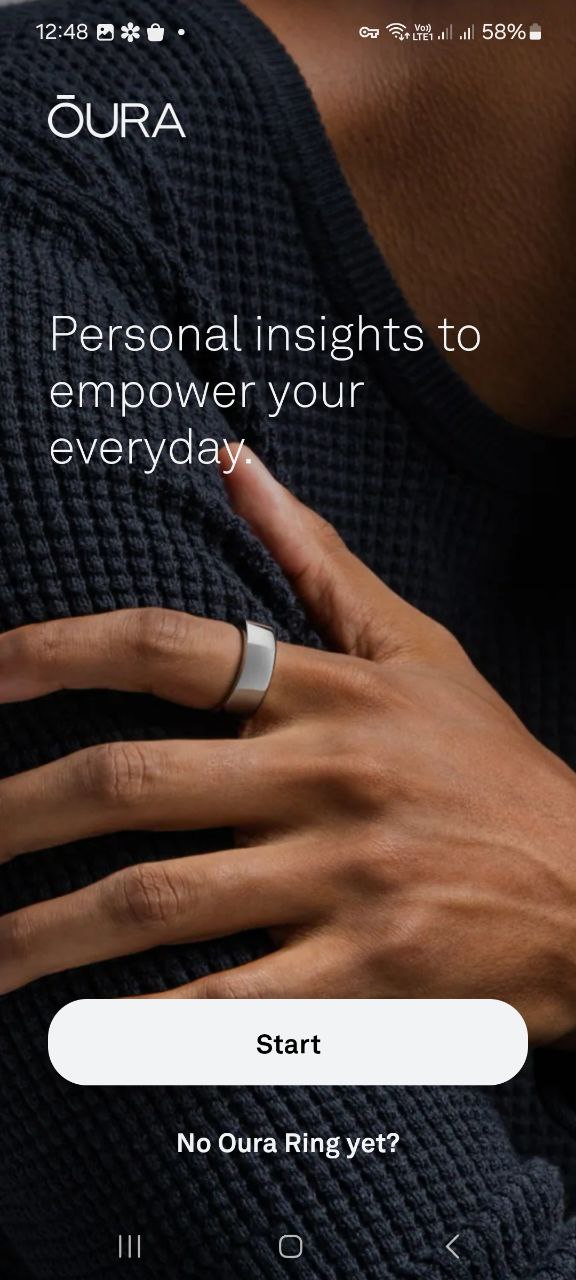
Open the Oura App and tap Start.
-
If you’re new to Oura, enter an email address to use for your Oura account and tap Continue.
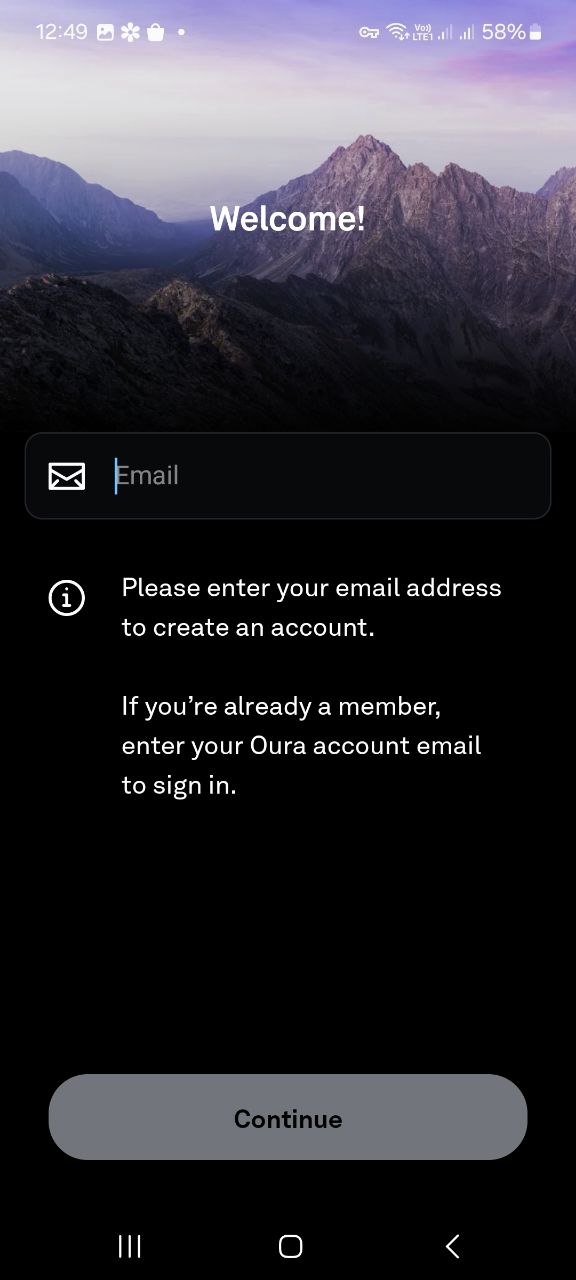
- If you’re already an Oura member, enter the email associated with your Oura account and follow the login prompts.
-
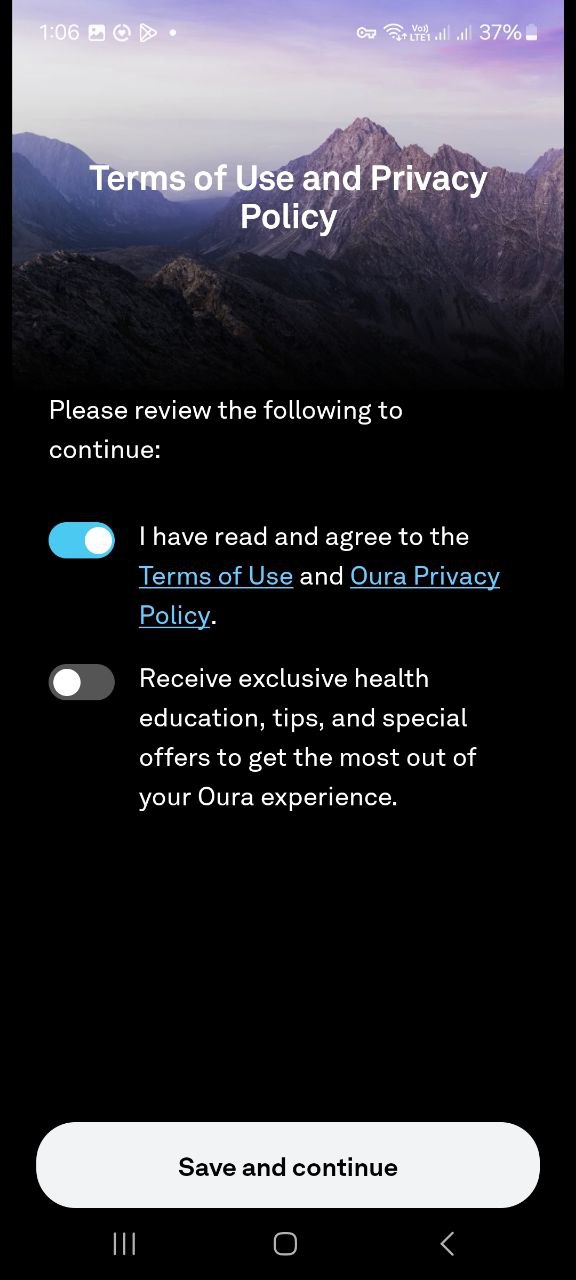
On the next screen, accept the terms and conditions by selecting the first toggle.
-
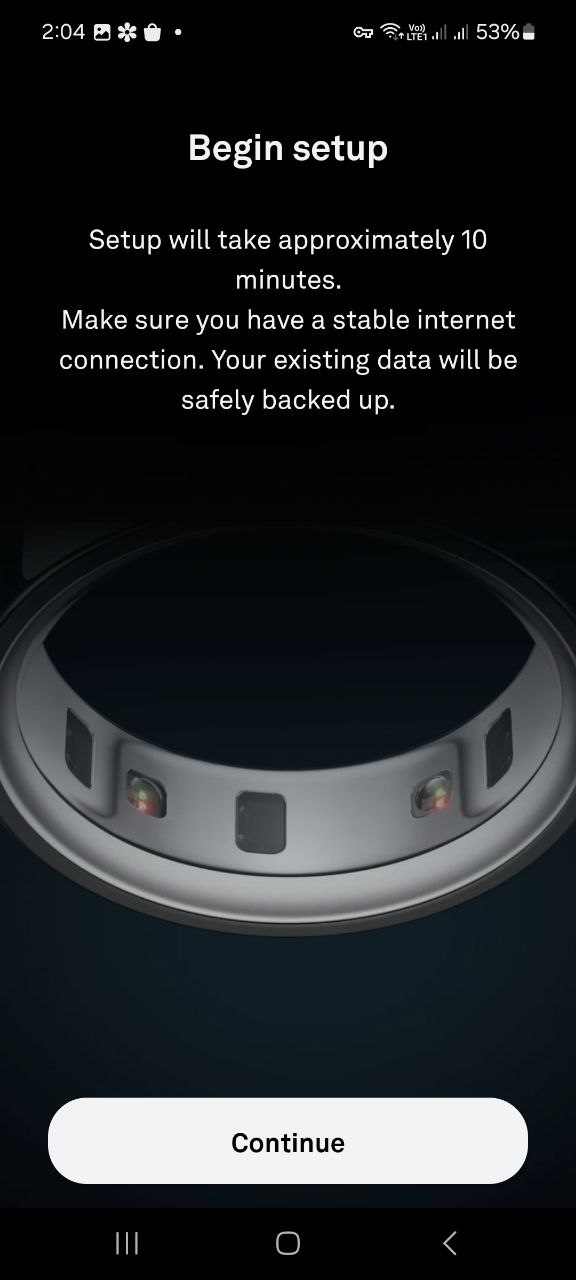
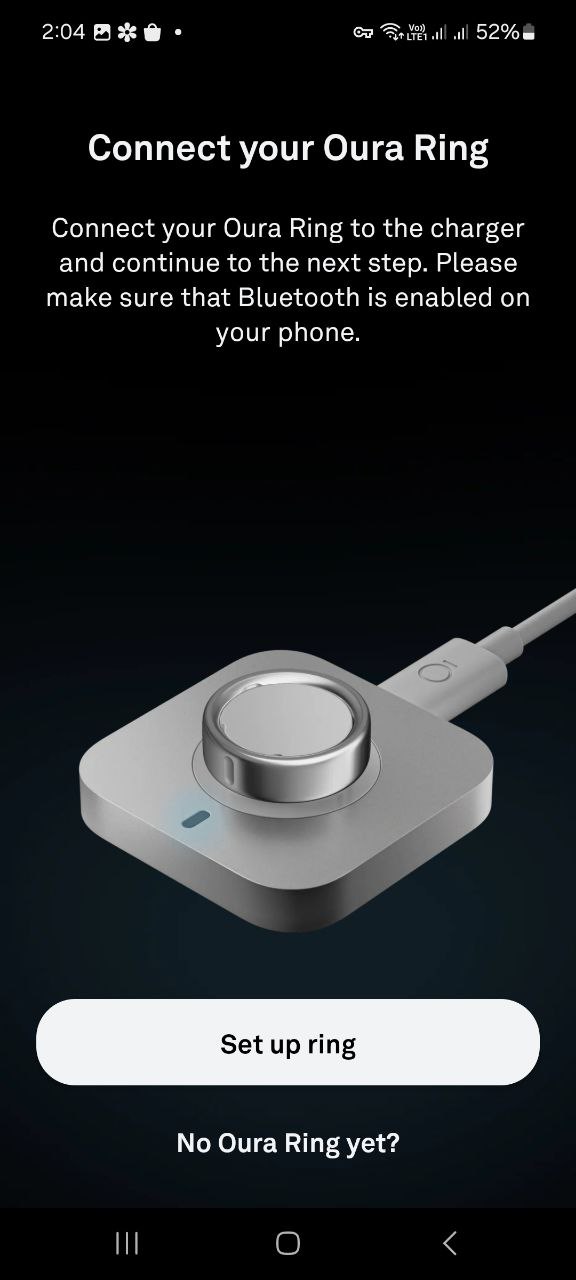
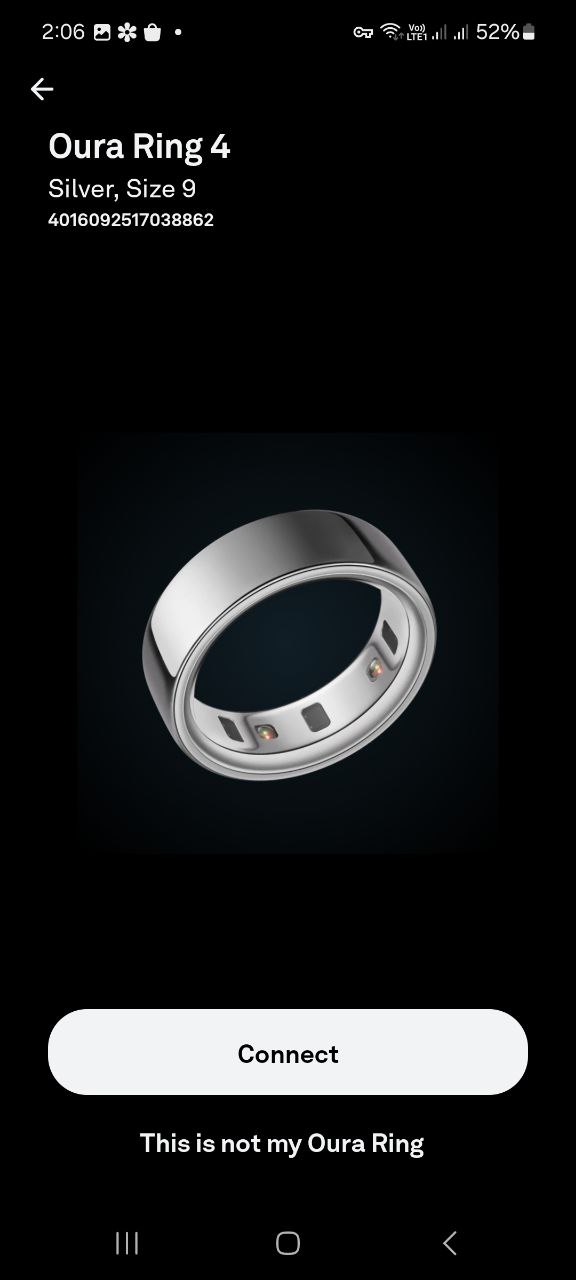
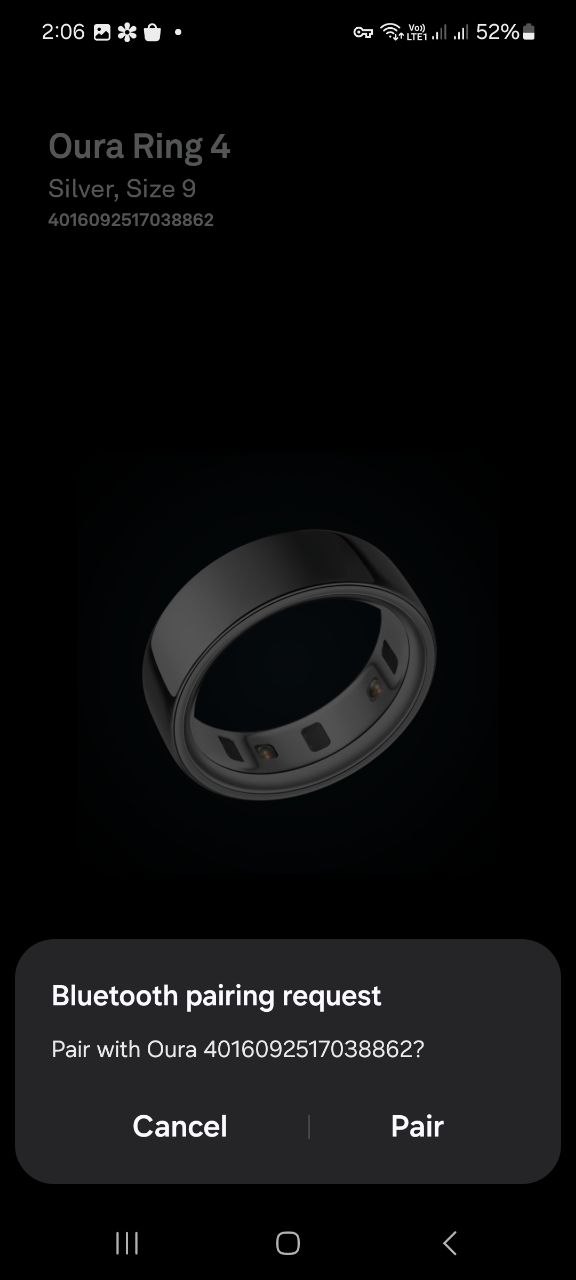
To set up a new Oura Ring, follow the in-app instructions.
-
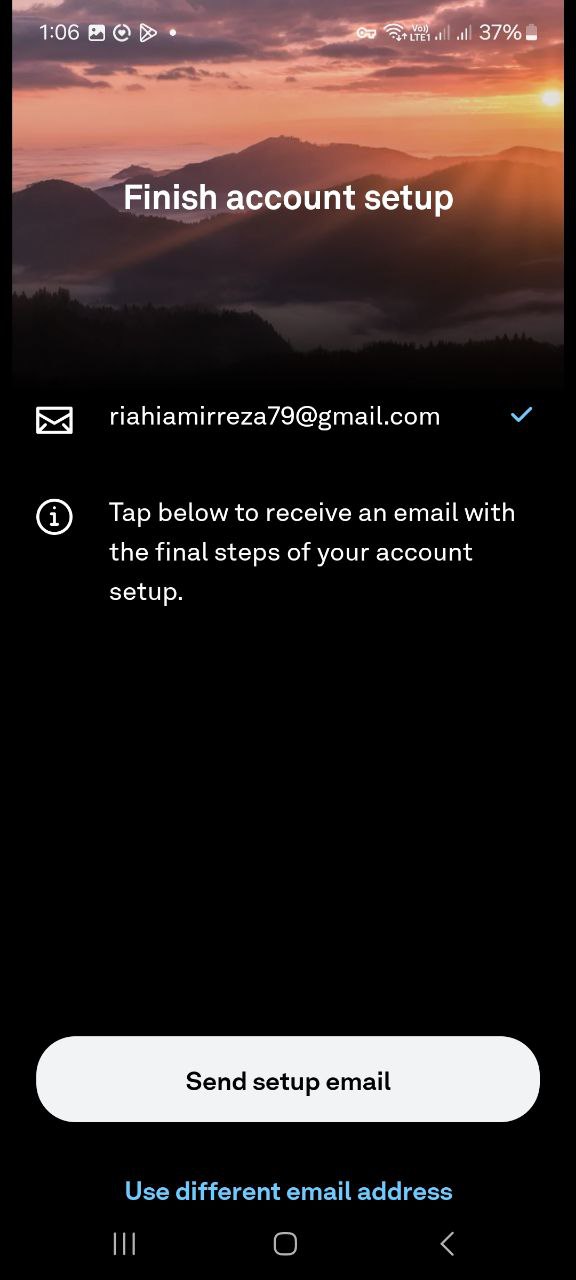
Once you’ve completed setting up your Oura Ring, tap Send setup email.
-
Check your inbox for an account set up email. In the email, select the Set up account button or the verification link to take you to a verification page.
-
Enter the billing address associated with a payment method you’ll use for your Oura Membership. Enter your home address, and Select your billing preference (monthly or annual) and then enter a payment method.
[!note]
You won’t be charged until the end of your first complimentary month. -
Review and confirm that the information you’ve entered is correct, then tap Submit.
-
Return to the Oura App and tap Continue.
[!warning]
The Oura app must remain installed, and your device must stay paired with it throughout the study. If the app is uninstalled or your device is unpaired, data collection will stop until the connection is restored.
2. Grant Access in the Avicenna App
After setting up the Oura app, you need to grant Avicenna access to your Oura data. Here’s how:
-
Go to the study homepage.
-
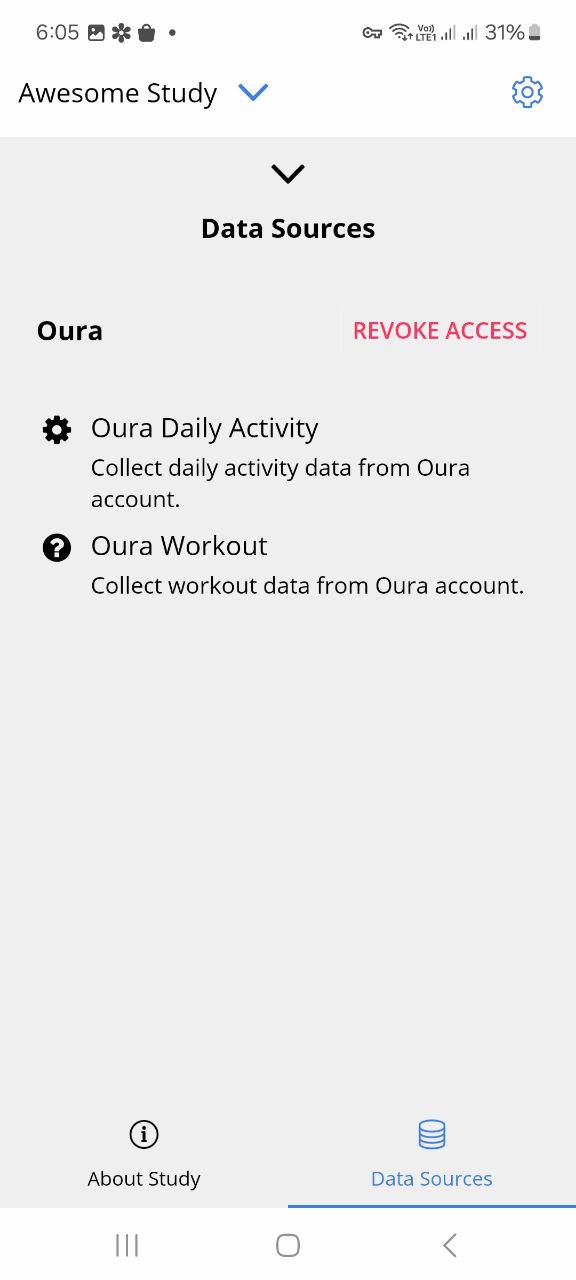
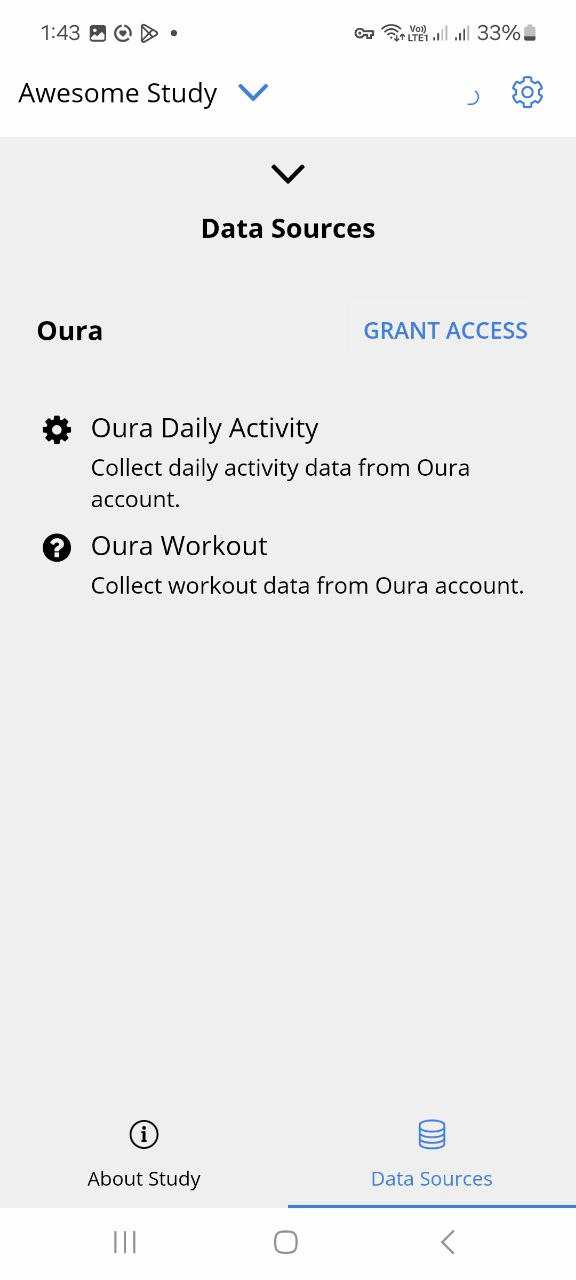
Tap Data Sources from the bottom-right to see all data sources being collected.
-
Find the Oura data source(s) in the list and click Grant Access.
-
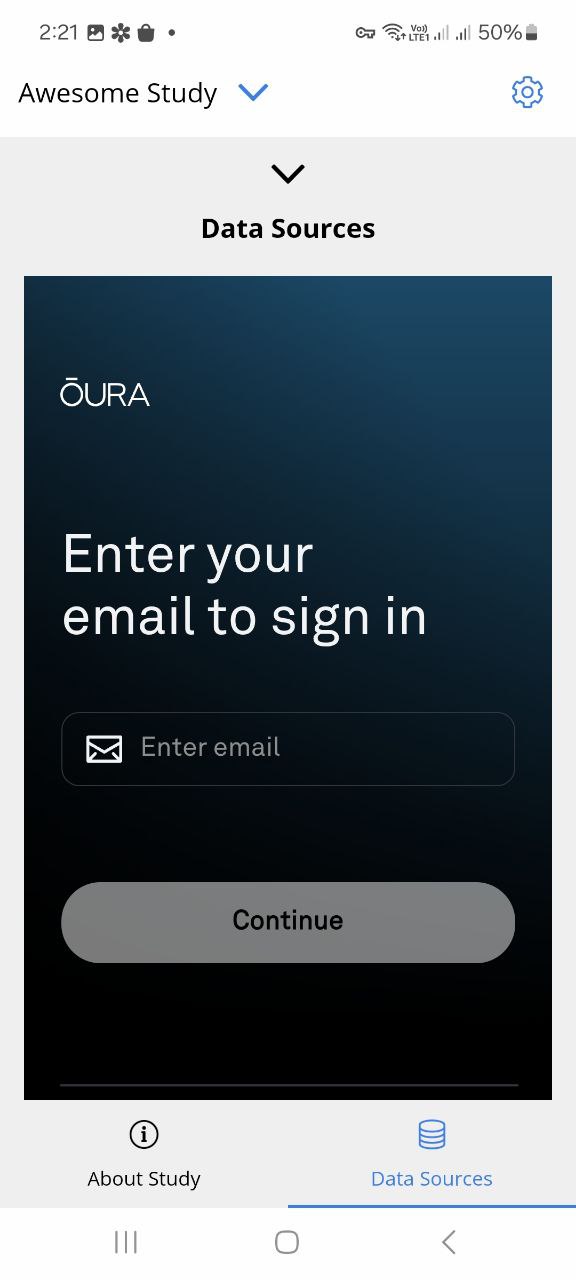
Enter your Oura account email and password. If you don’t have an account, you can create one at Oura website.
-
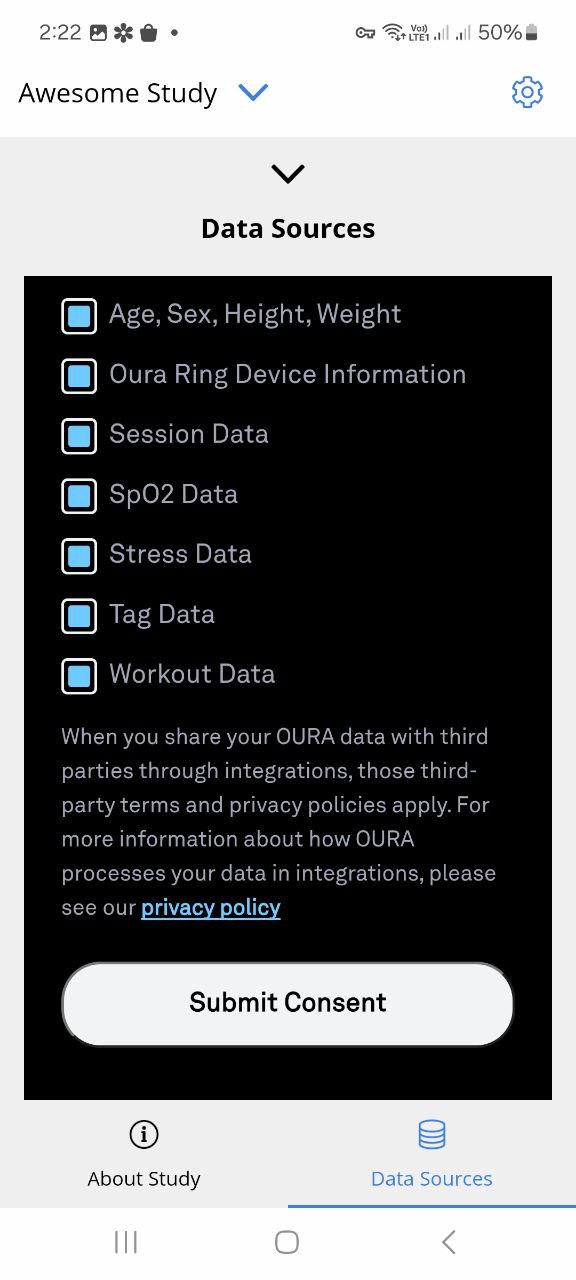
Review the data that will be shared between Oura and Avicenna.
If everything looks correct, tap Submit Consent. -
You will be redirected to the study’s Data Sources page in the Avicenna app after successfully granting access.
You can stop sharing the data anytime by clicking on Revoke Access on the Data Sources page.