Health metrics from Polar wearables can offer detailed insights into heart rate, sleep, and exercise. Avicenna collects this data from Polar’s servers through the Polar AccessLink API, so participants don’t need to export or upload anything themselves. This section explains how Polar integrates with Avicenna, making it easier for researchers to understand and use the health data of their participants.
[!important] New Polar Data Sources
Polar has released a new version of its API (AccessLink v4), and Avicenna now collects Polar data through it. The earlier Polar data sources no longer collect new data, and they can no longer be added to new studies. Data already collected through them stays available for export. To keep collecting Polar data, add the new Polar data sources to your study, and ask your participants to grant access to Polar again. See the Moving from the Earlier Polar Data Sources section for details.
Supported Polar Metrics in Avicenna
In this section, we list the Polar metrics that Avicenna supports. Each metric is a separate data source, so you can add only the ones your study needs.
Every metric includes these two fields:
- Polar Device ID: The identifier of the Polar device that recorded the data. Internally stored as
polar_device_id. - UTC Offset: The participant’s offset from UTC when the data was recorded, in minutes. Internally stored as
timezone_offset_minutes.
Polar Training Session
Provides a summary of each training session the participant records on their Polar device. It is stored internally as polar_training_session and includes the following fields:
- Record Time: The start time of the session. Internally stored as
record_time. - Session ID: Polar’s identifier for the session. Internally stored as
session_id. - Start Time: The start time of the session. Internally stored as
start_time. - Stop Time: The end time of the session. Internally stored as
stop_time. - Duration: The length of the session, in milliseconds. Internally stored as
duration_ms. - Name: The name of the session, as shown in Polar Flow. Internally stored as
name. - Sport ID: Polar’s identifier for the sport of the session. Empty for a multisport session. Internally stored as
sport_id. - Device Model: The model name of the Polar device, for example a specific watch. Internally stored as
device_model. - Distance: The total distance of the session, in meters. Internally stored as
distance_m. - Calories: The total kilocalories expended during the session. Internally stored as
calories. - Training Load: The training load of the session, as calculated by Polar. Internally stored as
training_load. - Average Heart Rate: The average heart rate during the session, in beats per minute (BPM). Internally stored as
hr_avg. - Maximum Heart Rate: The highest heart rate during the session, in BPM. Internally stored as
hr_max. - Start Trigger: How the session was started. Internally stored as
start_trigger. - Feeling: The participant’s rating of how the session felt, if they entered one in Polar Flow. Internally stored as
feeling. - Exercise Count: The number of exercises in the session. A multisport session has more than one. Internally stored as
exercise_count. - RR Sample Count: The number of beat-to-beat intervals recorded during the session. See Polar IBI (RR Interval) below. Internally stored as
rr_sample_count. - Modified: The last time the session was changed in Polar Flow. Internally stored as
modified.
Polar IBI (RR Interval)
Provides the beat-to-beat intervals (inter-beat intervals, or IBI) recorded during each training session. Each record is one heartbeat. It is stored internally as polar_ibi and includes the following fields:
- Record Time: The time of the heartbeat, at the end of its interval. Internally stored as
record_time. - Session ID: The training session the heartbeat belongs to. Matches the Session ID of Polar Training Session. Internally stored as
session_id. - Exercise ID: The exercise within the session that the heartbeat belongs to. Internally stored as
exercise_id. - Segment: The part of the exercise the heartbeat belongs to. Internally stored as
segment. Possible values:main: The exercise itself.transition: The transition after an exercise in a multisport session, for example from cycling to running.
- Sample Index: The position of the heartbeat in its segment, starting from 1. Internally stored as
sample_index. - IBI: The time between this heartbeat and the previous one, in milliseconds. Internally stored as
ibi_ms. - Offline:
trueif the heart rate sensor was disconnected for this interval. Internally stored asoffline. - Session Start Time: The start time of the training session. Internally stored as
session_start_time. - Session Duration: The length of the training session, in milliseconds. Internally stored as
session_duration_ms.
[!note] How Heartbeat Times Are Calculated
Polar provides the intervals without a time for each heartbeat. Avicenna calculates the Record Time of each heartbeat by adding up the intervals from the start of the exercise. Offline intervals keep their length, so the timeline stays continuous when the sensor disconnects. For thetransitionsegment, the calculation starts at the end of the exercise. Use Sample Index to keep the heartbeats in order.
Polar Night Sleep
Provides one summary per night: sleep times, stage durations, interruptions, efficiency, and the Polar Sleep Score with its components. It is stored internally as polar_night_sleep and includes the following fields:
- Record Time: The time the participant fell asleep, as first recorded by the device. Internally stored as
record_time. - Sleep Date: The date of the night, defined by the morning the participant woke up. For example, a sleep that starts on October 4 at 22:15 is filed under October 5. Use this field to identify the night. Internally stored as
sleep_date. - Start Time: The time the participant fell asleep. Internally stored as
start_time. - End Time: The time the participant woke up for the last time. Internally stored as
end_time. - Start Offset and End Offset: Adjustments, in seconds, that Polar applies to the sleep start and end. Polar does not document these fields. Internally stored as
start_offset_secandend_offset_sec. - Sleep Type: How the night was measured. Internally stored as
sleep_type. Possible values:SLEEP_TYPE_SLEEP_PLUS_STAGES: Full measurement with sleep stages. All fields are filled.SLEEP_TYPE_SLEEP_PLUS: An older measurement without sleep stages. The stage durations and all scores are empty.SLEEP_TYPE_SLEEP_TIME_ONLY: Sleep times the participant entered by hand. Nothing is measured. This record can appear next to a measured record for the same night.
- Edited:
trueif the participant changed the sleep times in the Polar app. Start Time and End Time then show the edited times, and Record Time keeps the original start. Internally stored asis_edited. - Battery Ran Out:
trueif the watch battery ran out during the night, so the record may be incomplete. Internally stored asbattery_ran_out. - Sleep Goal: The participant’s preferred sleep time from their Polar profile, in seconds. For example,
28800is 8 hours. Internally stored assleep_goal_sec. - Sleep Rating: The participant’s own rating of the night in the Polar app, on a five-step scale. The rating does not affect the Sleep Score. Internally stored as
sleep_rating. Values seen so far areSLEEP_RATING_SLEPT_QUITE_BAD,SLEEP_RATING_SLEPT_NEITHER_BAD_NOR_WELL,SLEEP_RATING_SLEPT_WELL, andSLEEP_RATING_SLEPT_QUITE_WELL.SLEEP_RATING_UNKNOWNmeans the participant did not rate the night. - Sleep Span: The time from falling asleep to the final wake-up, including interruptions, in seconds. Internally stored as
sleep_span_sec. - Asleep Duration: The time actually asleep, in seconds. This is the sleep span minus the time awake during interruptions. Internally stored as
asleep_duration_sec. - Light, Deep, and REM Duration: The time spent in light sleep (stages N1 and N2), deep sleep (stage N3), and REM sleep, in seconds. Internally stored as
light_sec,deep_sec, andrem_sec. - Wake Duration: The time awake between falling asleep and the final wake-up, in seconds. Internally stored as
wake_sec. - Unknown Duration: The time the watch could not classify, usually because of poor skin contact, in seconds. Internally stored as
unknown_sec. - Deep Percentage and REM Percentage: Deep and REM sleep as a percentage of the asleep duration. Internally stored as
deep_percentageandrem_percentage. - Interruption Count: The number of times the participant woke up during the night, in total, for more than 90 seconds (long), and for 90 seconds or less (short). Internally stored as
interruption_total_count,interruption_long_count, andinterruption_short_count. - Interruption Duration: The time awake during all, long, and short interruptions, in seconds. The total equals Wake Duration. Internally stored as
interruption_total_sec,interruption_long_sec, andinterruption_short_sec. - Efficiency: The asleep duration as a percentage of the sleep span. Polar calls this “actual sleep”. Internally stored as
efficiency_percent. - Continuity: How unbroken the sleep was, on a scale from 1.0 (fragmented) to 5.0 (no interruptions). Internally stored as
continuity_index. - Continuity Class: The continuity grouped into classes from 1 (fragmented) to 5 (very continuous). Internally stored as
continuity_class. - Feedback: Polar’s internal code for the feedback text shown in the Polar app, for example
10021. Polar does not document these codes. Internally stored asfeedback. - Sleep Score: The overall score for the night, from 1 to 100. Internally stored as
sleep_score. - Group Duration Score: The sleep amount theme. It is the average of Sleep Time Own Target Score, which compares the asleep duration to the participant’s sleep goal, and Sleep Time Recommendation Score, which compares it to age-based recommendations. Internally stored as
group_duration_score,sleep_time_own_target_score, andsleep_time_recommendation_score. - Group Solidity Score: The sleep solidity theme. It is the average of Long Interruptions Time Score, Continuity Score, and Efficiency Score. Internally stored as
group_solidity_score,long_interruptions_time_score,continuity_score, andefficiency_score. - Group Refresh Score: The regeneration theme. It is the average of REM Score, based on the REM percentage, and N3 Score, based on the deep percentage. Internally stored as
group_refresh_score,rem_score, andn3_score. - Score Rate: A value from 1 to 5, filled for some nights only. Polar does not document this field. Internally stored as
score_rate.
All scores except Score Rate range from 1 to 100, and a higher score is better. Polar explains how it builds the Sleep Score in Sleep Plus Stages sleep tracking.
[!note] How the Durations Add Up
OnSLEEP_TYPE_SLEEP_PLUS_STAGESnights, Light, Deep, REM, and Unknown Duration add up to Asleep Duration, and Asleep Duration plus Wake Duration equals Sleep Span.
Polar Sleep Stages
Provides the stage timeline (hypnogram) of each night. Each record is one stage, in 30-second steps. It is stored internally as polar_sleep_stage and includes the following fields:
- Record Time: The start time of the stage. Internally stored as
record_time. - Sleep Date: The night the stage belongs to. Matches the Sleep Date of Polar Night Sleep, so you can join the two on the participant and Sleep Date. Internally stored as
sleep_date. - Stage: The sleep stage that started at Record Time. Internally stored as
stage. Possible values:SLEEP_STATE_WAKE: Awake, during an interruption.SLEEP_STATE_NON_REM2: Light sleep (stages N1 and N2).SLEEP_STATE_NON_REM3: Deep sleep (stage N3).SLEEP_STATE_REM: REM sleep.SLEEP_STATE_UNKNOWN: Not classified, usually because of poor skin contact.
- Duration: The length of the stage, in seconds. Always a multiple of 30. Internally stored as
duration_sec.
Polar Sleep/Wake States
Provides every change between sleep and wake that the watch detects around the clock, not only at night. Each record is one change. It is stored internally as polar_sleep_wake and includes the following fields:
- Record Time: The time the new state began. Internally stored as
record_time. - State: The state that started at Record Time. Internally stored as
state. Possible values:SLEEP_WAKE_STATE_SLEEP: The watch detects sleep, or no movement.SLEEP_WAKE_STATE_WAKE: The watch detects wakefulness.SLEEP_WAKE_STATE_NO_DATA: No reading, for example because the watch was off the wrist.
- Local Date: The participant’s local date of the change. Internally stored as
local_date.
Each state lasts until the next record of the same participant. To get its duration, subtract its Record Time from the next one.
[!note] Reading Sleep/Wake States
- Polar sends the data one day at a time, so a record appears at each local midnight that repeats the current state. It is not a real change.
- A watch lying still can register as sleep, so a long daytime
SLEEP_WAKE_STATE_SLEEPblock may be the watch off the wrist rather than a nap.- This detection is simpler than the one behind Polar Night Sleep, so its sleep onset and wake-up times at night do not exactly match Start Time and End Time there.
Data Collection Behavior
The participant’s Polar device syncs its data to their Polar Flow account, through the Polar Flow app on their phone. Avicenna checks Polar’s servers for new data every hour, and downloads anything new. Nothing is collected directly from the device by the Avicenna app. This means:
- Data appears in Avicenna only after the device has synced with Polar Flow, and the next hourly check has run. If the participant does not open the Polar Flow app or their phone is offline, the data arrives later, in a batch.
- Each check covers the last three days, so data the device syncs a few days late is still collected.
- Avicenna only stores records whose time is within the participant’s participation period in a study that includes the data source. Records from before the participant joined, or after their participation period ended, are not stored.
- If a participant is enrolled in more than one study that collects the same Polar data source, each study receives its own copy of the records.
- If Polar is temporarily unavailable or limits the number of requests, Avicenna retries later. In this case, data can take several hours to appear.
- If the participant edits a training session or a night in Polar Flow within the three-day window, the new version is collected.
- If the participant deletes a training session or a night in Polar Flow, the records already collected stay in Avicenna.
All times are stored in UTC.
Adding Polar As a Data Source
See Adding Data Sources. In the list of available data sources, choose the Polar metrics you need. Their names start with Polar.
When a participant grants access, Polar asks them to allow access to groups of data, not to each metric. The groups needed depend on the data sources in your study:
| Polar permission | Needed for |
|---|---|
| Training sessions | Training Session, IBI (RR Interval) |
| Sleep | Night Sleep, Sleep Stages, Sleep/Wake States |
If you add a new Polar data source after participants have joined, and it needs a permission they have not granted yet, those participants need to grant access again.
Monitoring and Exporting Polar Data
You can export and download the collected Polar data using the Data Export page. Exports are produced in CSV format.
[!note]
Polar data is available through data export only. It is not indexed in Kibana.
Polar Data Source in Participant App
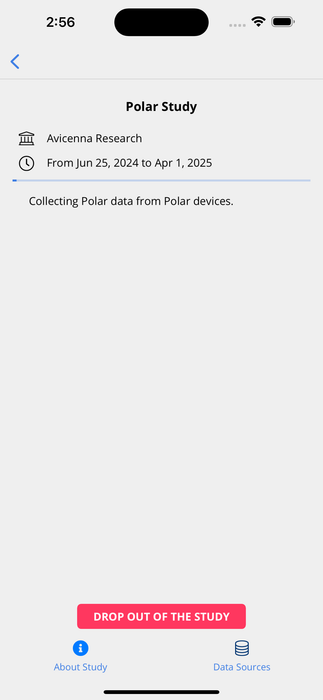
After joining a study, participants must grant Avicenna access to collect their Polar data.
-
Go to the study homepage on the Avicenna app.
-
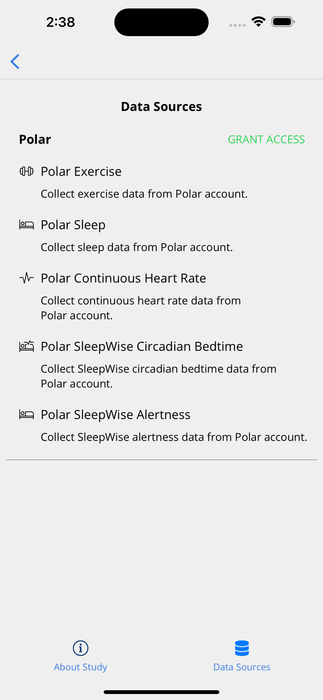
Tap the Data Sources button at the bottom of the page to view the study’s data sources.
-
Find the Polar data source(s) and tap the Grant Access button.
-
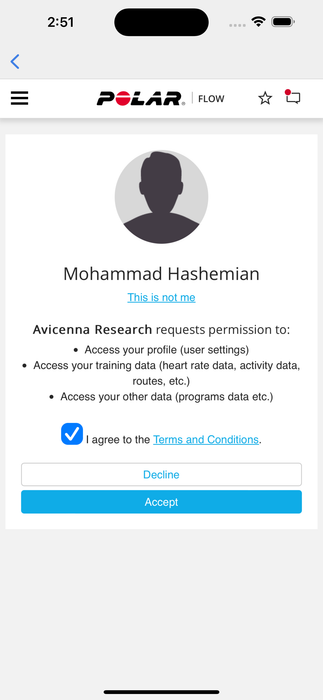
You will be redirected to the Polar website to sign in and authorize Avicenna.
-
Allow access to all the data Avicenna asks for, then tap Accept. You will be redirected back to the Avicenna app’s Data Sources page. Access has now been granted.
One grant covers all the Polar data sources of all the participant’s studies.
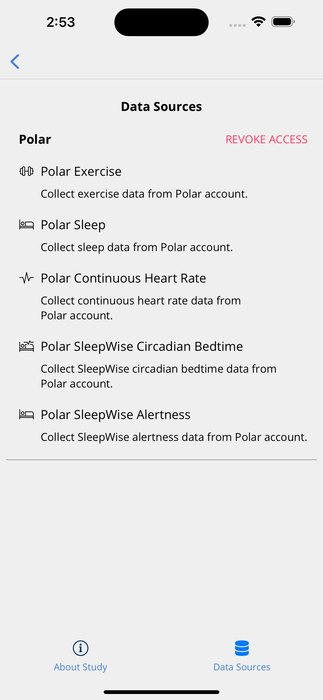
Participants can stop sharing the data anytime by tapping Revoke Access on the Data Sources page. Revoking removes Avicenna’s access to the participant’s Polar data, for all their studies. Data collected before revocation is retained. To also remove Avicenna from their Polar account, participants can manage their connected services at account.polar.com.
Moving from the Earlier Polar Data Sources
The earlier Polar data sources no longer collect new data. To keep collecting Polar data in an existing study, move to the new data sources as soon as possible:
- Add the matching new Polar data sources to your study. The table below shows which new data source replaces each earlier one.
- Ask your participants to grant access to Polar again, as described in the Polar Data Source in Participant App section above.
When a participant grants access again, Avicenna collects only the last three days of their Polar data. Anything recorded before that is not collected, so ask participants to grant access as soon as you add the new data sources.
| Earlier Polar data source | New Polar data source(s) |
|---|---|
| Polar Exercise | Polar Training Session, Polar IBI (RR Interval) |
| Polar Sleep | Polar Night Sleep, Polar Sleep Stages |
| Polar Continuous Heart Rate | None |
| Polar SleepWise Circadian Bedtime | None |
| Polar SleepWise Alertness | None |
Polar Sleep/Wake States has no earlier equivalent.
[!warning] The Data Is Not Identical
The new Polar data sources have their own tables. Plan for these differences when you combine earlier and new Polar data in your analysis:
- Training sessions: Polar Training Session holds the session summary only. Heart rate zones, samples, route, Training Load Pro, and the fat, carbohydrate, and protein percentages are not collected. Beat-to-beat intervals are a new data source, Polar IBI (RR Interval).
- Sleep: The sleep stages are a separate data source, with different stage names (for example
SLEEP_STATE_NON_REM3instead ofDEEP_NON_REM). Sleep Charge and the heart rate samples during sleep are not part of Polar Night Sleep. The group regeneration score is now called Group Refresh Score.