Wheel of Fortune is an activity that lets participants spin a prize wheel and land on one of the slices you defined. You control each slice’s label, color, and how likely it is to be selected, allowing you to add a variable reward to your study instead of a fixed one.
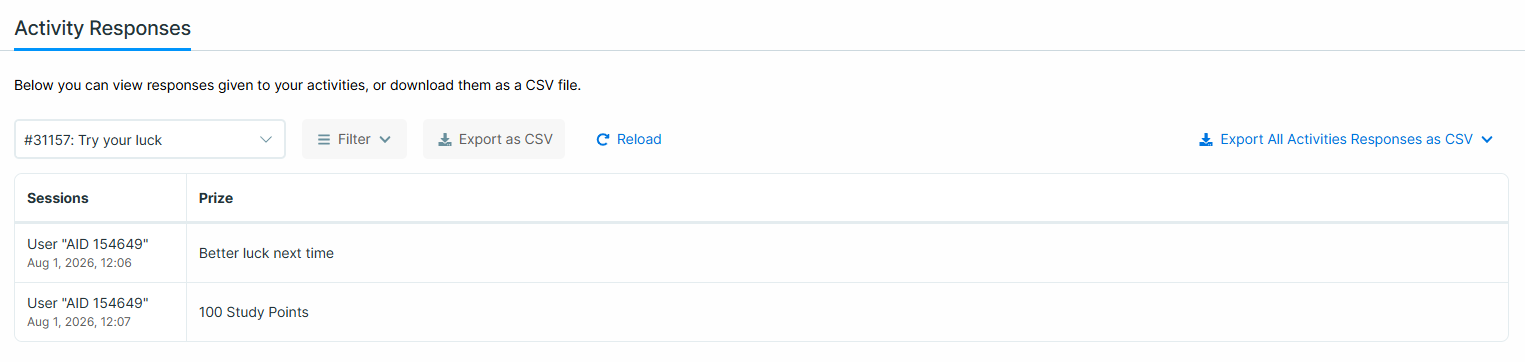
Avicenna records which slice each participant landed on so you can review it on the Activity Responses page.
[!note]
Wheel of Fortune is a licensed feature. If you do not see it listed when adding a new activity, contact support to have it enabled for your license.
Use Cases
- Reward participants for reaching a study milestone, such as completing a baseline survey or finishing a burst of daily diaries.
- Introduce an element of chance to sustain engagement, where every spin has a possible win rather than a guaranteed one.
- Run a prize draw at a fixed point in your study by triggering the wheel once per participant.
Configure a Wheel of Fortune
To add and configure a Wheel of Fortune to your study:
- Go to the Activities page on your researcher dashboard.
- Click Add Activity and select Wheel of Fortune.
- Enter a name and description for the activity.
- Configure the slices on the Content tab, as described below.
- Set up Triggering Logics and Notification Templates.
- Preview and publish the activity.
Configure the Slices
The Content tab holds the slice list. Each row is one slice on the wheel, and each slice has a title, a chance, a reward flag, and a color.
A wheel must have at least 2 and at most 30 slices. Use the plus (+) button to add a slice and the delete icon to remove one.
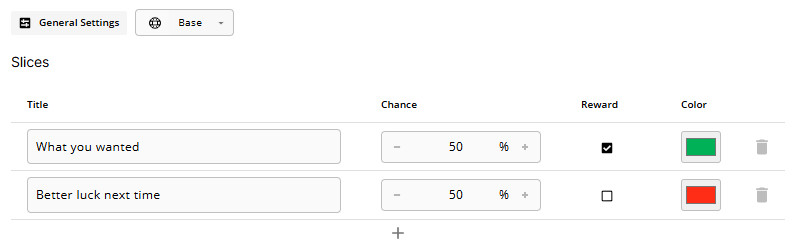
Title
The label shown on the slice and recorded in your data.
A title can be left empty, but this is not recommended: an untitled slice is harder to interpret on the Responses page and cannot be used as a filter option.
Chance
How likely the slice is to be selected, expressed as a percentage between 0.1 and 100.
The chances of all slices must add up to exactly 100% before the activity can be published. A new slice you add starts at 1%, so remember to rebalance the other slices after adding one.
Reward
A checkbox marking the slice as a win. This flag controls what the participant sees when the wheel stops.
Color
The fill color of the slice on the wheel, chosen from the color picker.
[!note]
If your study includes localizations, slice titles can be translated.
Chance, Reward, and Color apply to every language and can only be edited while the Base language is selected. They are disabled in translation mode.
Wheel of Fortune in the Participant App
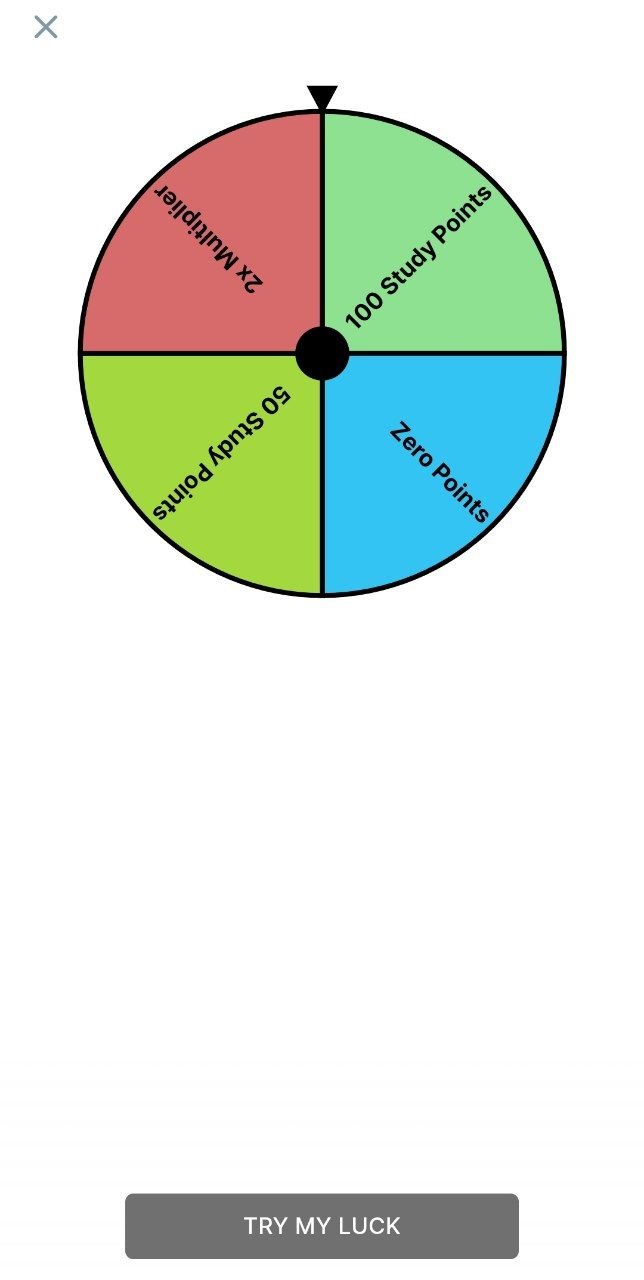
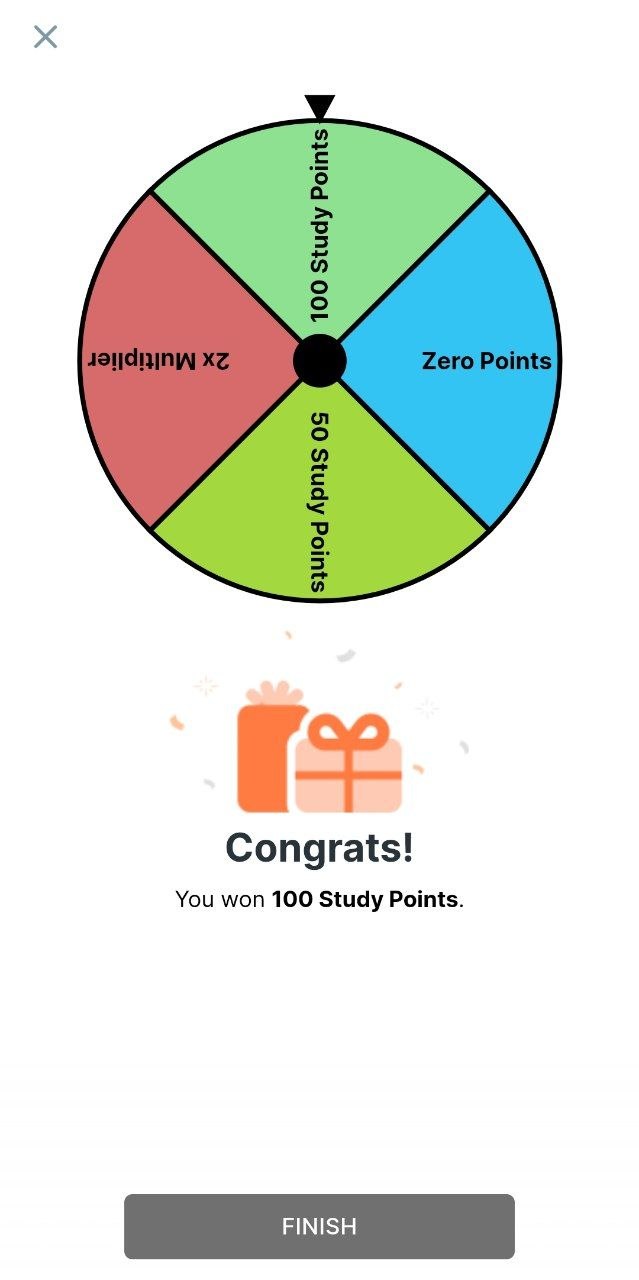
When participants open the activity, they see the wheel divided into slices, each labeled with its title and filled with its color. Tapping Try my luck submits the session, and the wheel spins and stops on the selected slice.
View and Export Responses
Open the Activity Responses page to review participants’ spins. Alongside the standard activity responses columns, Wheel of Fortune adds a Prize column that is always visible and cannot be hidden.