Most security incidents in research start at the account level. The server is rarely the weak point.
A researcher account can provide access to an entire study and its data. When an account is compromised, the impact goes beyond IT. A study may need to be suspended, an ethics board may request an incident report, and participants may withdraw their consent.
Why Account Security Is a Research Problem
Avicenna covers part of this responsibility. The platform holds ISO 27001:2022 certification and meets GDPR, ICO, and DSPT requirements. But these protections cannot compensate for insecure account practices, such as sharing one login across a research team.
The seven practices below help protect your study at the account level, and most take only a few minutes to configure.
At a Glance
| Practice | The risk it helps prevent |
|---|---|
| Enable two-factor authentication | A stolen password is enough to access your account |
| Give each person their own account | You cannot attribute actions or revoke access individually |
| Keep your credentials to yourself | People you have not authorized can access the account |
| Use a strong, unique password | A password exposed in another breach can be used to access your study |
| Enable auto-logout | An unattended session can expose the researcher dashboard |
| Grant access by role | Researchers can access data they do not need for their role |
| Collect less identifying data | A breach can expose participants, not only research data |
Enable Two-Factor Authentication
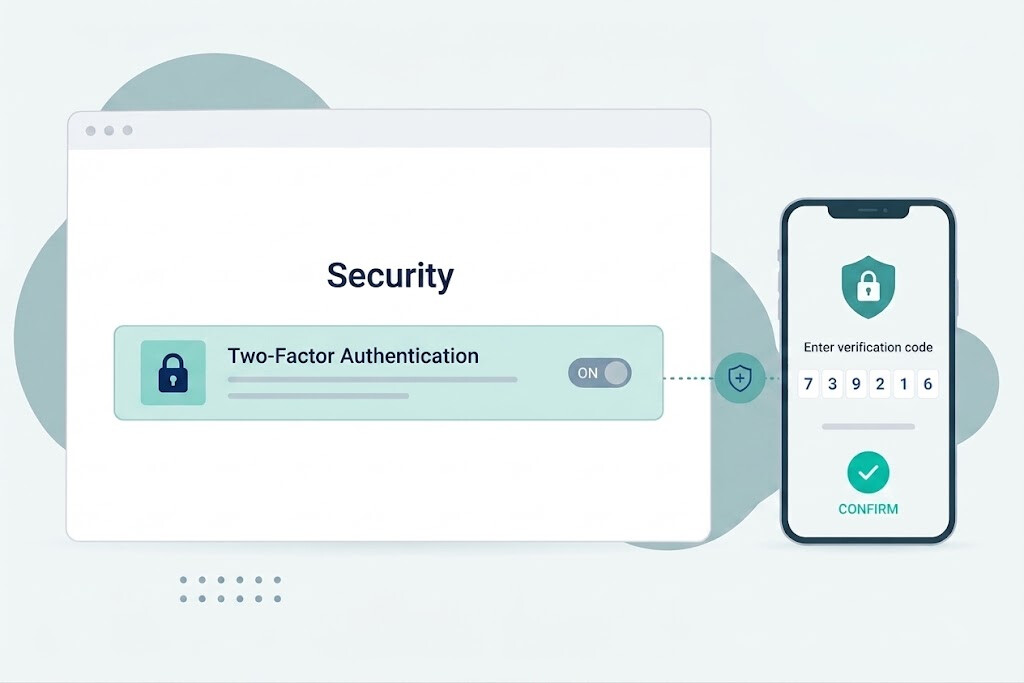
Passwords can be exposed through reuse, phishing, or breaches on other services. Two-factor authentication (2FA) adds a second verification step, so a password alone is not enough to sign in.
In Avicenna, this second step is a verification code sent to your phone. Open Profile, click Security, and enable Two-Factor Authentication. Ask every researcher on the study to enable it, not only the study owner.
[!note] Verify Your Phone First
You need a verified phone number before you can enable 2FA. Add and verify it in Personal Information.
Give Each Person Their Own Account
Shared logins are sometimes used by research teams. For example, a team might use one address such as studyteam@university.edu and share the password among several researchers. This creates several problems:
- Attribution. You cannot tell who performed an action, such as exporting a dataset.
- Control. You cannot remove one researcher without changing access for everyone.
- 2FA. The verification codes go to one phone, making it difficult for each researcher to secure the account independently.
Shared credentials can also remain in team chats long after someone leaves the project. Create an account for each researcher using their own work email address, as described in Adding Researchers to a Study.
Grant Access by Role
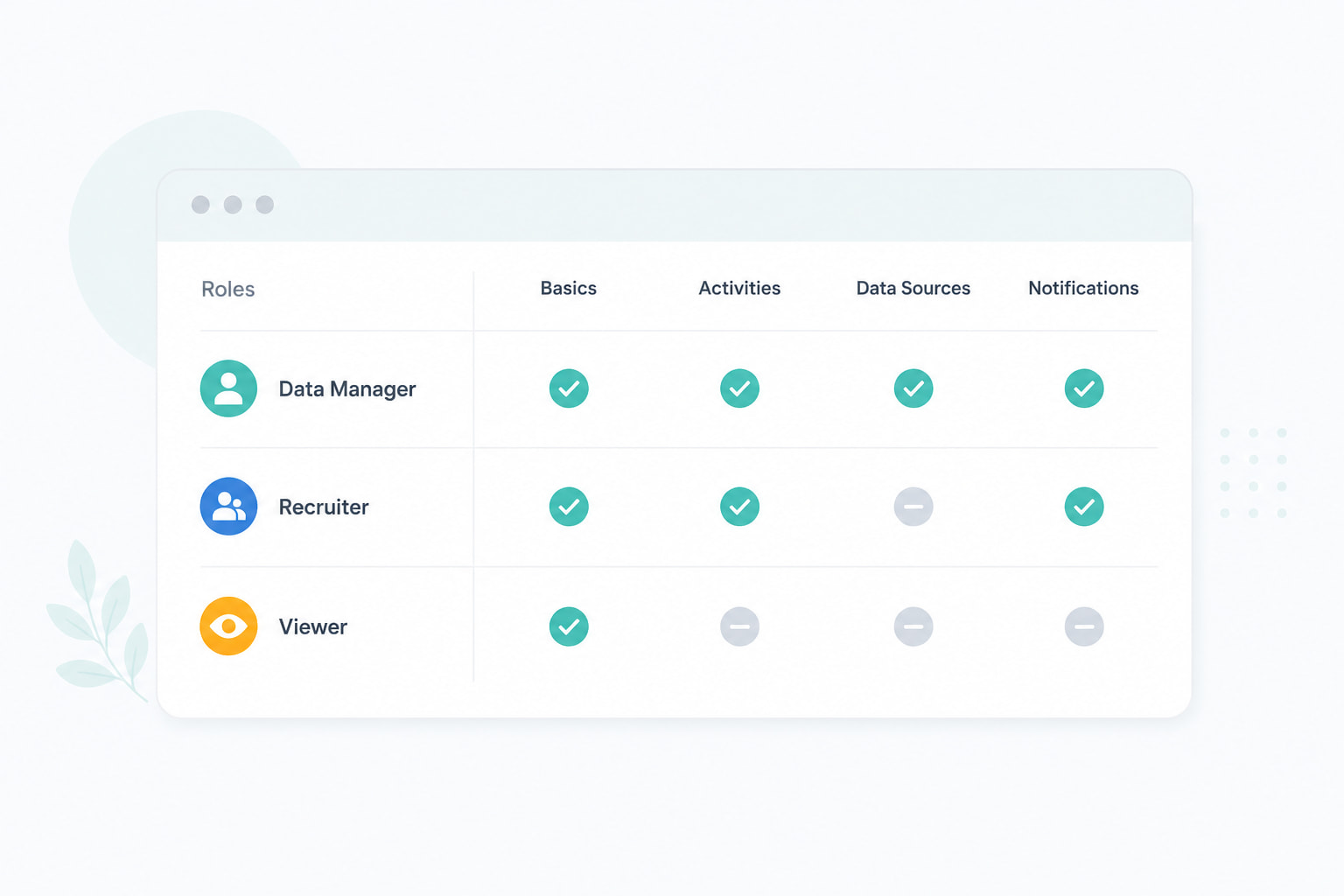
Access should match each person’s responsibilities. Not every researcher needs access to the entire study, and giving unnecessary permissions increases the potential impact of a compromised account.
On the Researchers page, open the Roles tab and define roles that match each person’s responsibilities. For example, a Data Manager can view and export study data, while a Recruiter can enroll participants without accessing that data. In multi-site studies, you can also restrict permissions by site.
Review the researcher list when the study starts and whenever someone joins or leaves the project.
[!warning] Revoking Access Matters Too
Remove access when someone no longer works on the study. For example, a student who completed their placement last term should no longer have access to the study data. See Removing Researchers from a Study.
Keep Your Credentials to Yourself
Do not share your username or password, even with other researchers on your study. Actions performed through your account are recorded in the audit trail under your name.
If another researcher needs access, add them to the study with an appropriate role instead of sharing your credentials. If you suspect that your password has been exposed, change it immediately.
Use a Strong, Unique Password
A strong password is long, unpredictable, and not used anywhere else. Uniqueness is especially important. Attackers do not need to guess a password if they can reuse credentials exposed in a breach of another service.
Use a password manager to generate and store a unique password for each service. If your institution requires regular password changes, enable Password Expiry in the Security section.
Enable Auto-Logout
An unattended session can expose your account, whether it is on a shared lab computer or a laptop left open in an office.
Enable Auto-Logout in the Security section. Avicenna will then sign you out after 20 minutes of inactivity.
Collect Less Identifying Data
One of the simplest ways to protect personally identifiable information (PII) is to avoid collecting it when it is not needed. Data that you never collect cannot be exposed or misused.
Avicenna hides participant PII by default. Each participant receives a unique ID, while personal details are stored separately from study data. Study owners can enable PII Visibility when the research requires it. Keep it disabled unless you need access to participant details.
Conclusion
These seven practices are simple to set up, but together they help protect your study from common account-level risks. Configure them when the study starts, review access as the team changes, and make account security part of your research workflow.