The Situation
You need to link participants’ Avicenna IDs with their external identifiers from other systems or databases. This is common when:
- Importing participants from existing databases
- Working with multi-platform studies
- Ensuring data continuity when participants have existing IDs
What to Do?
Approach 1: Using Participant Labels
-
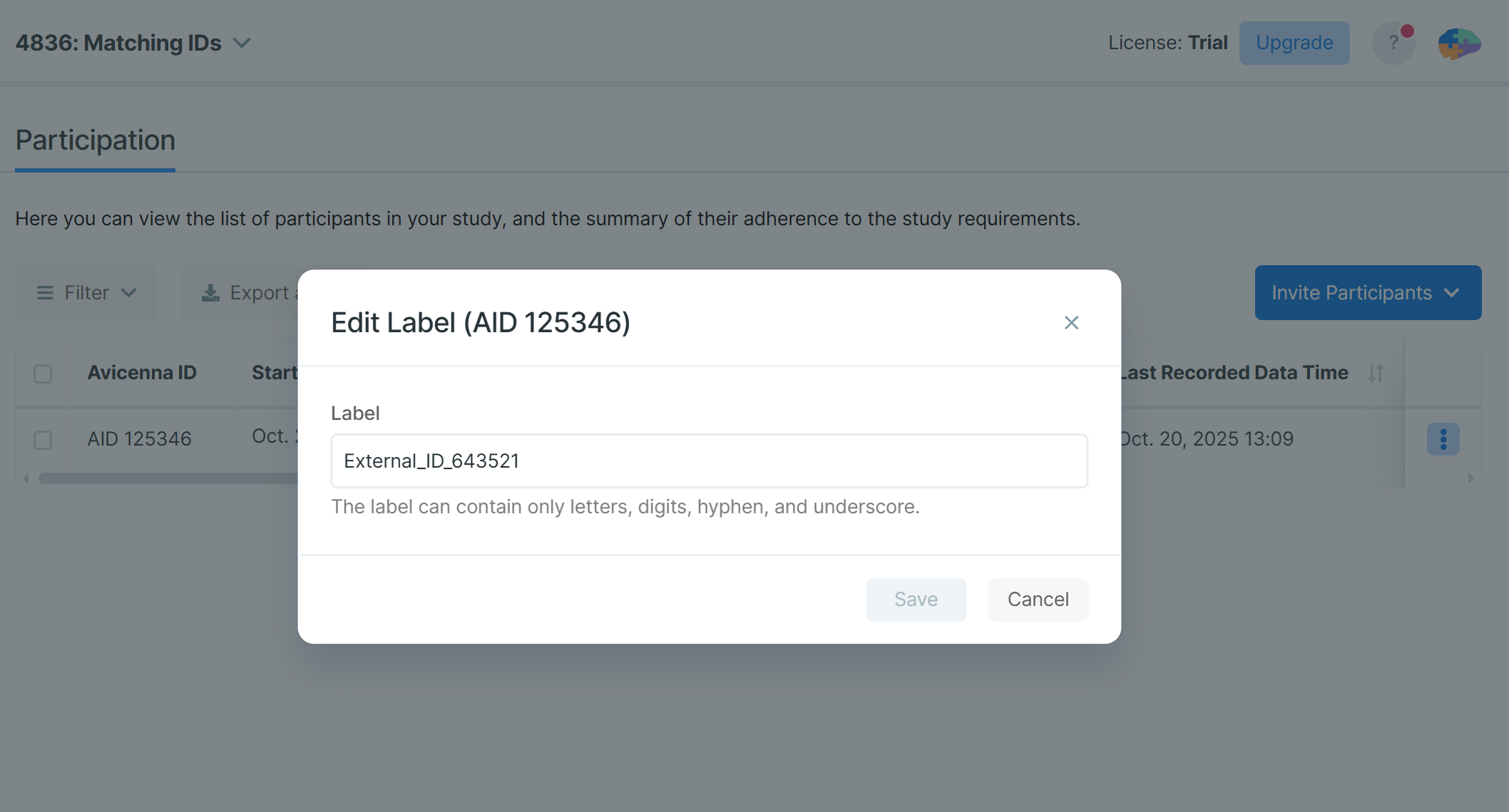
Assign Labels to Participants
- Navigate to the Participation tab in your researcher dashboard.
- Find the participant in the table and set the external ID as their label.
-
Use Labels for Matching
- Now, you can view participants with their labels in the Participation table.
- The label will be visible on some other pages too, where participants are listed.
- You can filter the participants under the Participation table based on their label.
Approach 2: Using Participant Variables
-
Create an External ID Variable
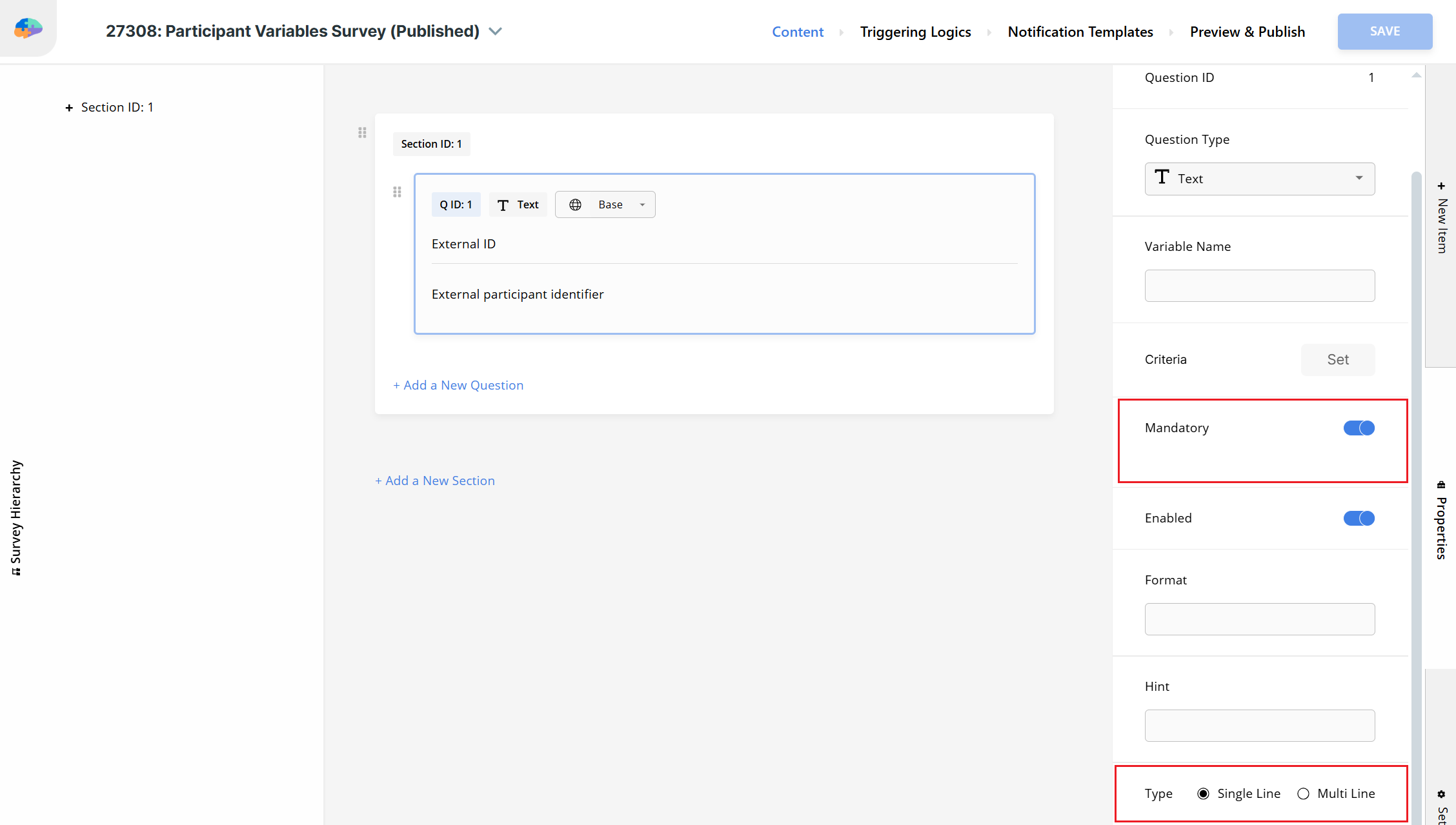
- Create a Participant Variables Survey.
- Add a Text question (or a Number question) for the external ID:
- Set the Label to “External ID” or “Participant Number”.
- Set the Content to “External participant identifier”.
- Make it Mandatory.
- Change the Type based on your needs. Probably, you’ll need a single-line text.
- Publish the survey.
-
Set Variables for Each Participant
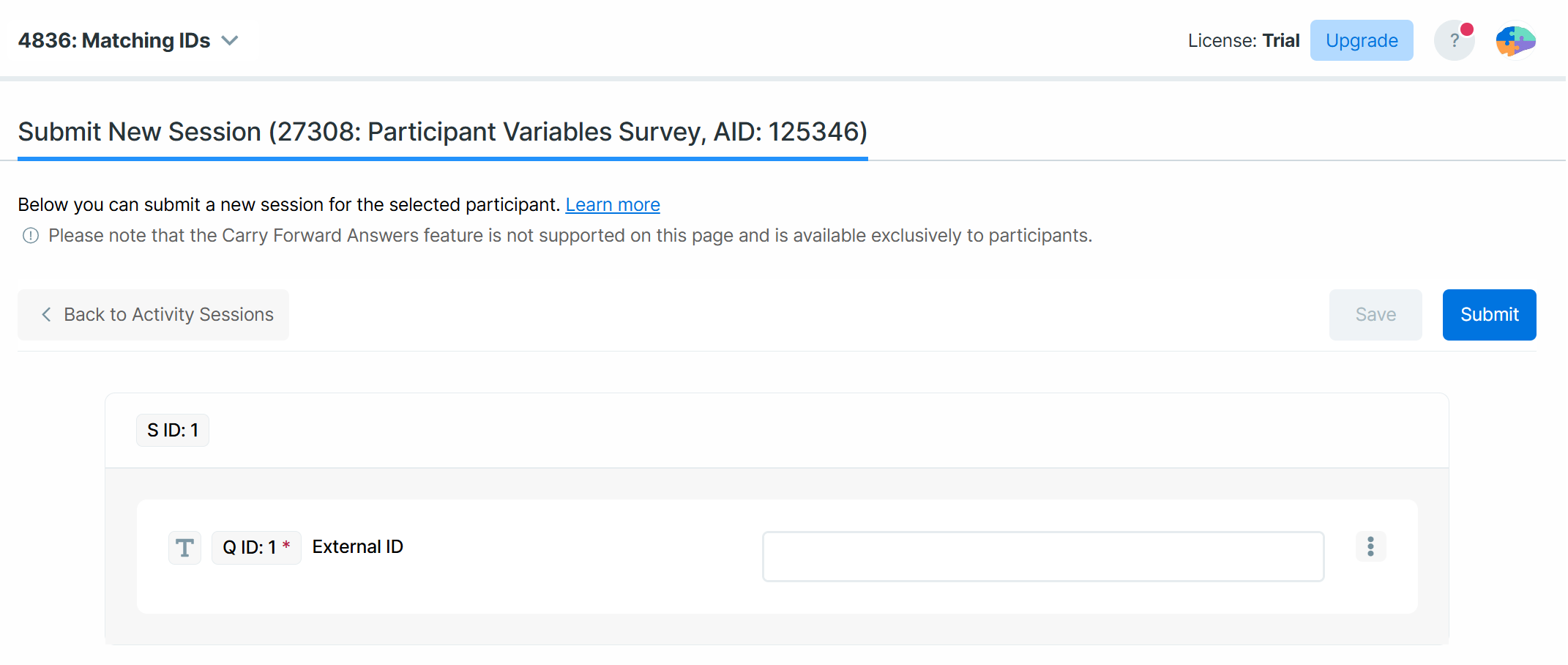
- Whenever a participant joins the study, navigate to the Activity Sessions page.
- Create a researcher-responded session for the Participant Variables Survey and that participant.
- Submit the external ID as a response to that survey.
-
Use Responses for Matching
- Now, you can view the responses to that variables survey to match your participants with their external IDs.
- You can filter the participants under the Participation table based on the responses to that survey.
- If the external IDs are numbers and you used a Number question in step 1, you can use those responses in your criteria too.
Pro Tips
- You can create a “Participant Joined” Notification Template. This way, you, the researcher, will get notifications whenever a new participant joins the study; hence, you can set the external ID immediately.
- Maintain a consistent, well-documented ID matching process to ensure accuracy and easy management across your studies. Share the documentation with your team so they follow the same conventions.
- Use clear, standardized external ID formats (e.g.,
Participant001). - Regularly validate your data for duplicates or missing entries. Note that none of the above approaches prevents using the same external ID for more than one participant.