Many experience sampling studies rely on scheduled email reminders sent to participants at regular intervals. Avicenna supports this approach through Public Triggering Logic, which allows participants to complete surveys without creating an Avicenna account or installing the app.
The Situation
You are a researcher studying daily mood changes in response to stress. You want to collect data regularly, but not all participants are willing to install a mobile app.
What to Do?
Here’s how to configure Avicenna to handle this:
1. Set up your survey:
-
Go to your study’s Activities tab.
-
Click Create New Activity.
-
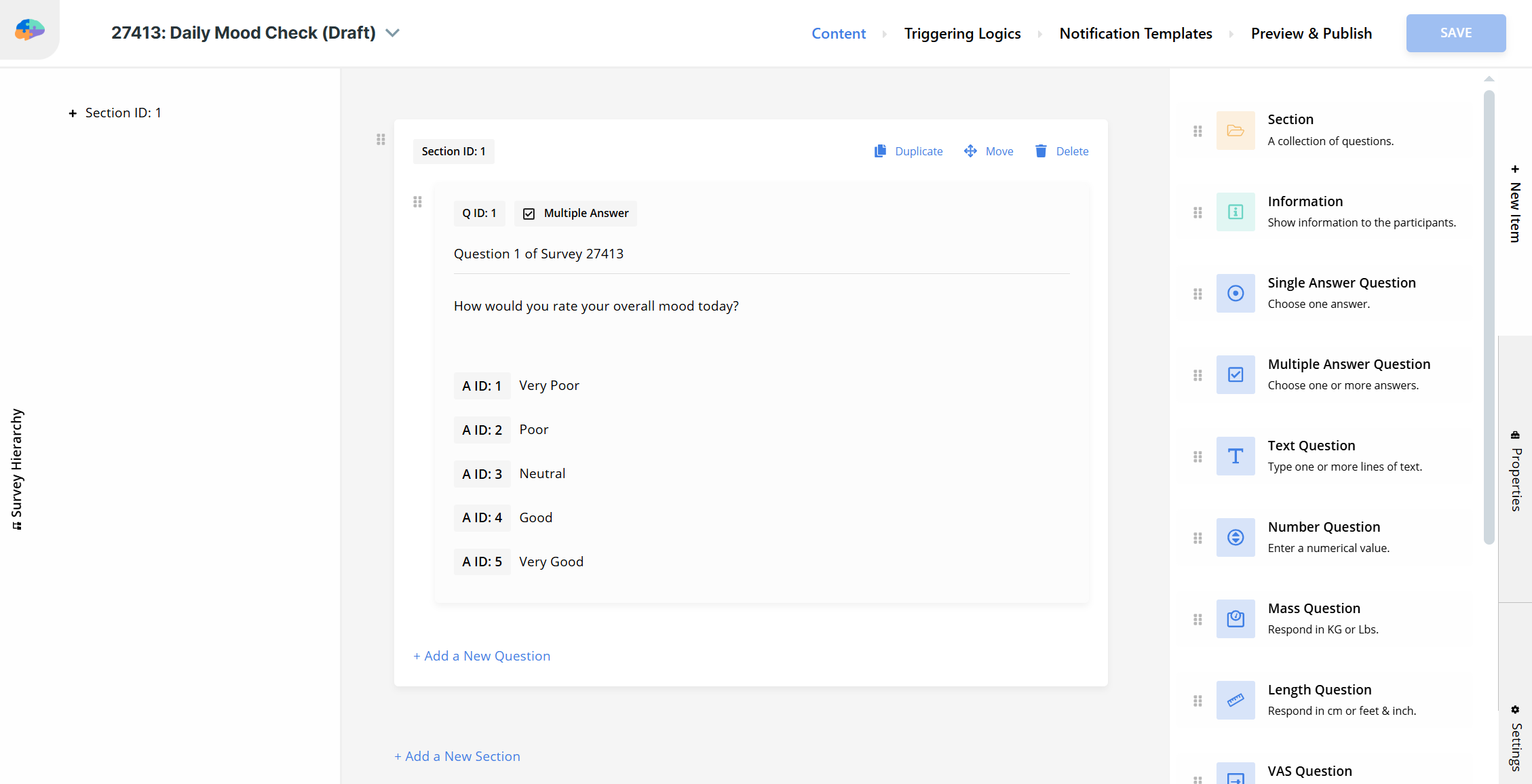
Name your survey (e.g., “Daily Mood Check”).
-
Add your desired questions.
2. Configure a Public Triggering Logic:
-
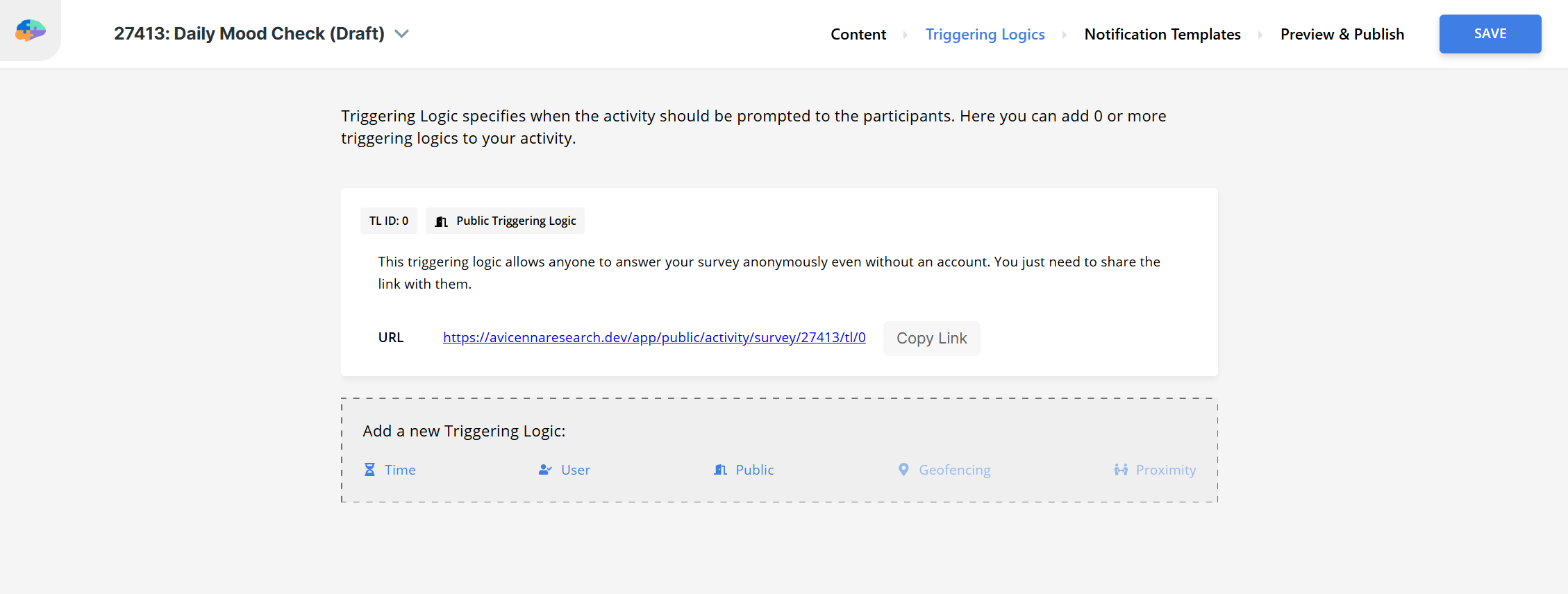
Go to the Triggering Logics section.
-
Delete the existing User Triggering Logic.
-
Under Add a new Triggering Logic, select Public.
-
The system will generate a Public Survey Link.
-
Include the public link in your participant emails.
3. Publish your survey.
- Go to the Preview & Publish tab and publish your survey.
- Your survey is now live and accessible via the the public survey link.
4. Set Up Email Distribution.
-
Option A: Manual Email Sending
- Create an email template with your survey link.
- Send emails to participants on your desired schedule.
-
Option B: Use External Email Tools
- Use tools like Mailchimp, Constant Contact, or your institution’s email system.
- Schedule automated emails with your survey link.
- Set up email sequences for your study duration.
Pro Tip
Here’s a ready-to-use email template you can personalize for your study:
Subject: Daily Survey Reminder - [Study Name]

Dear Participant,

This is your daily reminder to complete the [Study Name] survey.

Please click the link below to access today's survey:
[Your Public Survey Link]

The survey should take approximately 5-10 minutes to complete.

Thank you for your participation!

Best regards,
[Your Name]
[Your Institution]