Maintaining participant engagement is essential in long-term studies. Sometimes, you may want to remind participants who have not been completing their activities regularly. Although Avicenna does not natively support automatic notifications based on completion rate, you can still achieve this manually using your exported session data, a simple spreadsheet formula, and a notification linked to an information activity.
The Situation
You are conducting a study where regular participation is important for data quality. You have a large number of participants and want to motivate those whose completion rate falls below a specific threshold (for example, 50%) by sending them a friendly reminder.
You can do this in three parts:
- Calculating completion rates externally
- Creating a reminder activity with a notification
- Scheduling the notification for the identified participants
What to Do
-
Download the Session Data
Go to the Researcher Dashboard, open the Activity Sessions, and export the session data for all participants.
Alternatively, download responses for specific activities from Activity Responses if you want to calculate completion separately for each activity.
Both files include the data you need, particularly user ID and status.
-
Calculate the Completion Rate
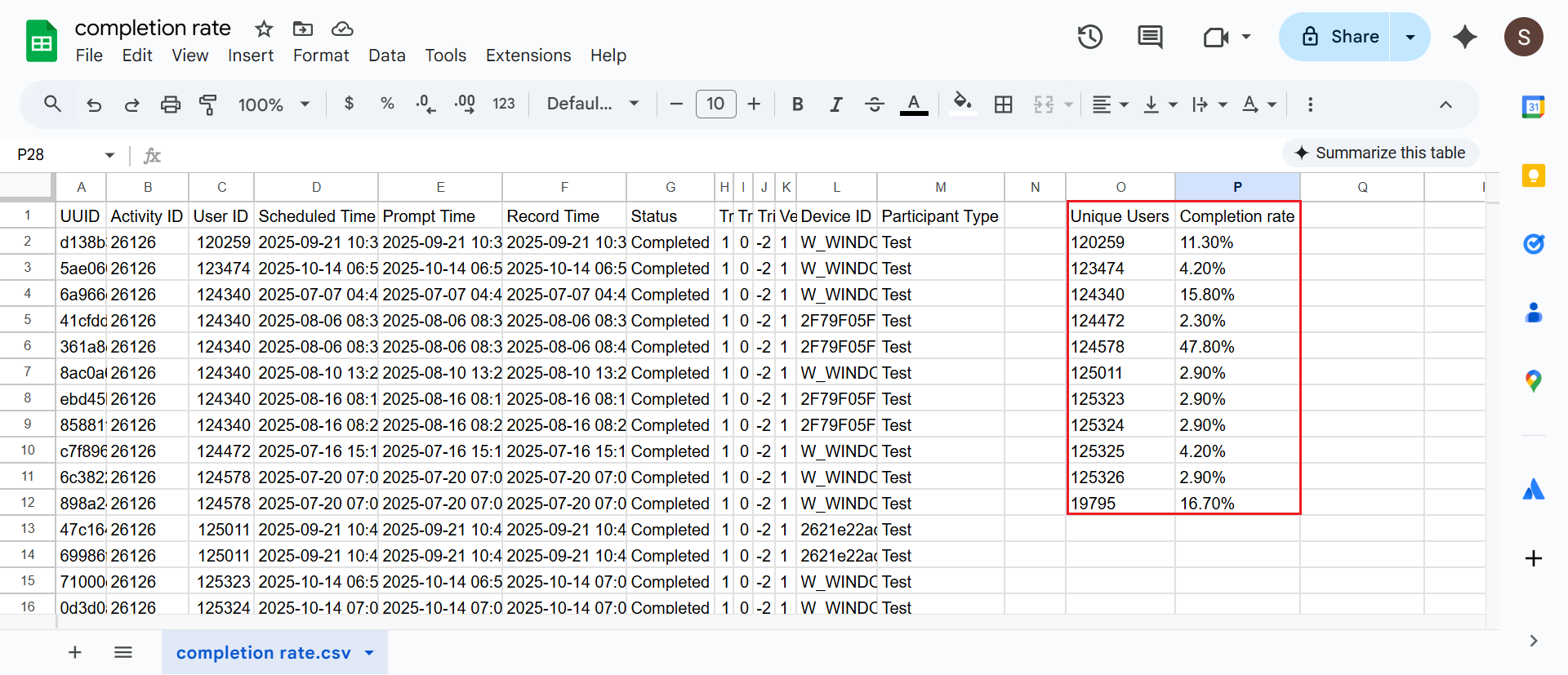
In the exported file, use user ID and status to calculate each participant’s completion rate directly in Google Sheets.
- Get the list of unique participants:
=UNIQUE(FILTER(C2:C10000, C2:C10000 <> ""))- Use this formula to calculate the completion rate for each participant:
=IFERROR(IF(COUNTIFS($C$2:$C$10000,O2&"",$G$2:$G$10000,"<>")=0,"",COUNTIFS($C$2:$C$10000,O2&"",$G$2:$G$10000,"Completed")/COUNTIFS($C$2:$C$10000,O2&"",$G$2:$G$10000,"<>")),"")This gives you the completion percentage for each participant. You can define a threshold, for example, 50%, and identify all participants below that value.
-
Create the Reminder Activity
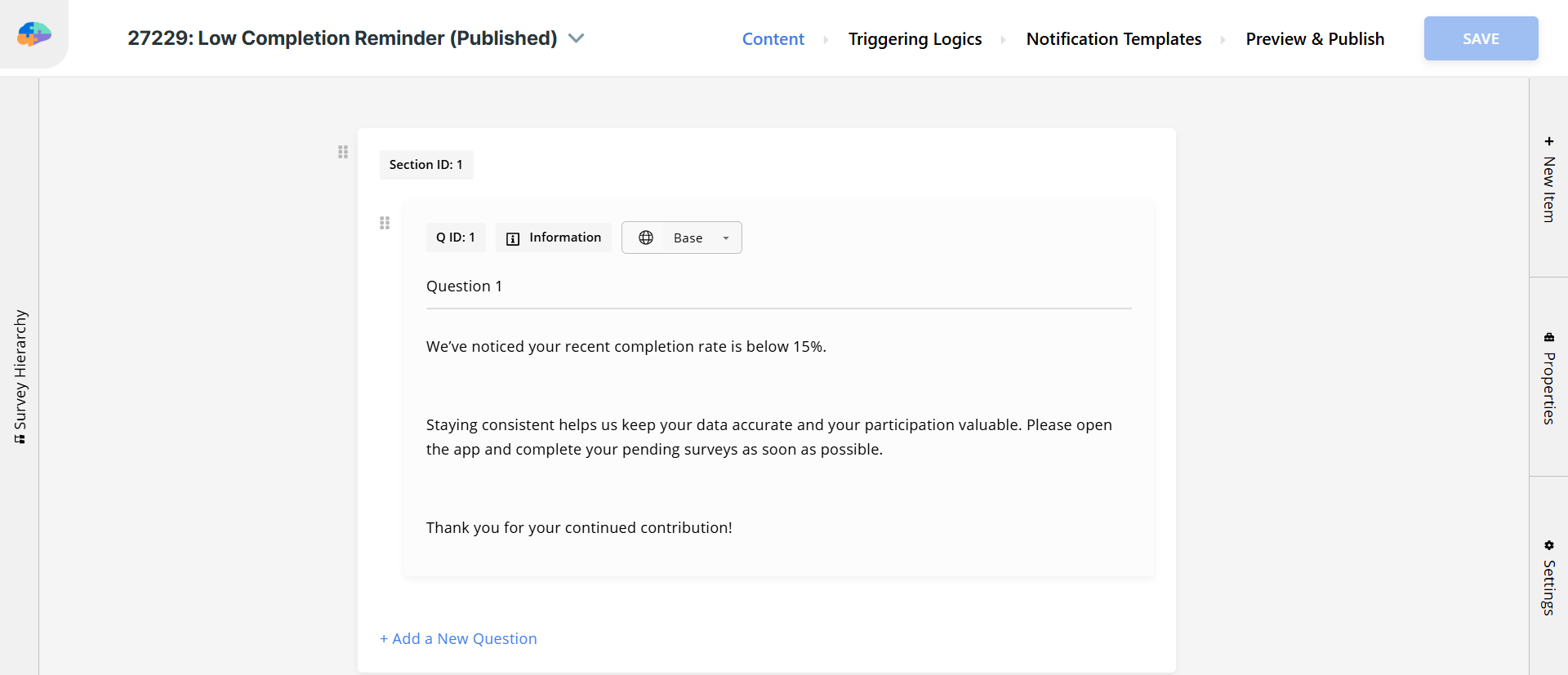
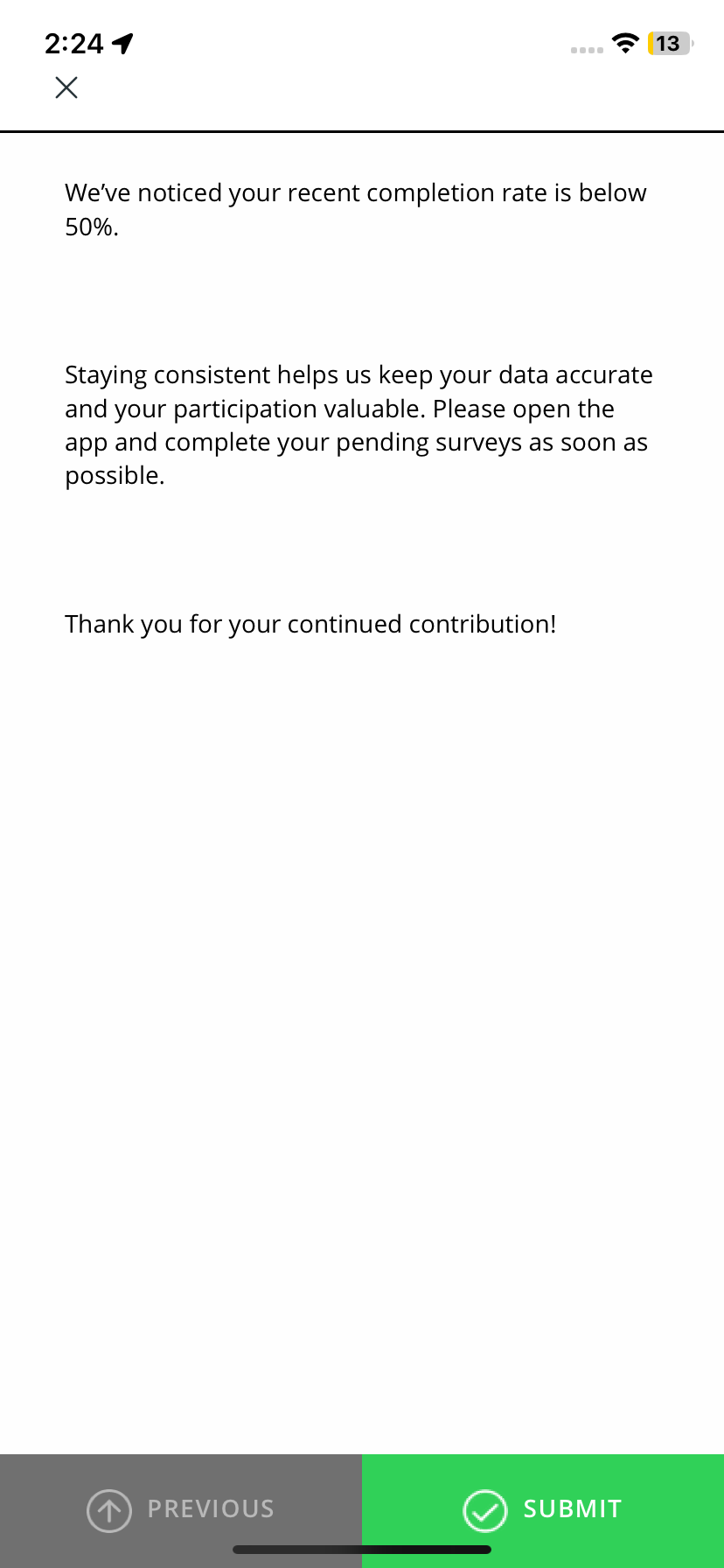
Create a survey titled Low Completion Reminder. Add an Information question with a message, such as:
We’ve noticed your recent completion rate is below 50%.
Staying consistent helps us keep your data accurate and your participation valuable.
Please open the app and complete your pending surveys as soon as possible.
Thank you for your continued contribution! -
Create the Notification Template
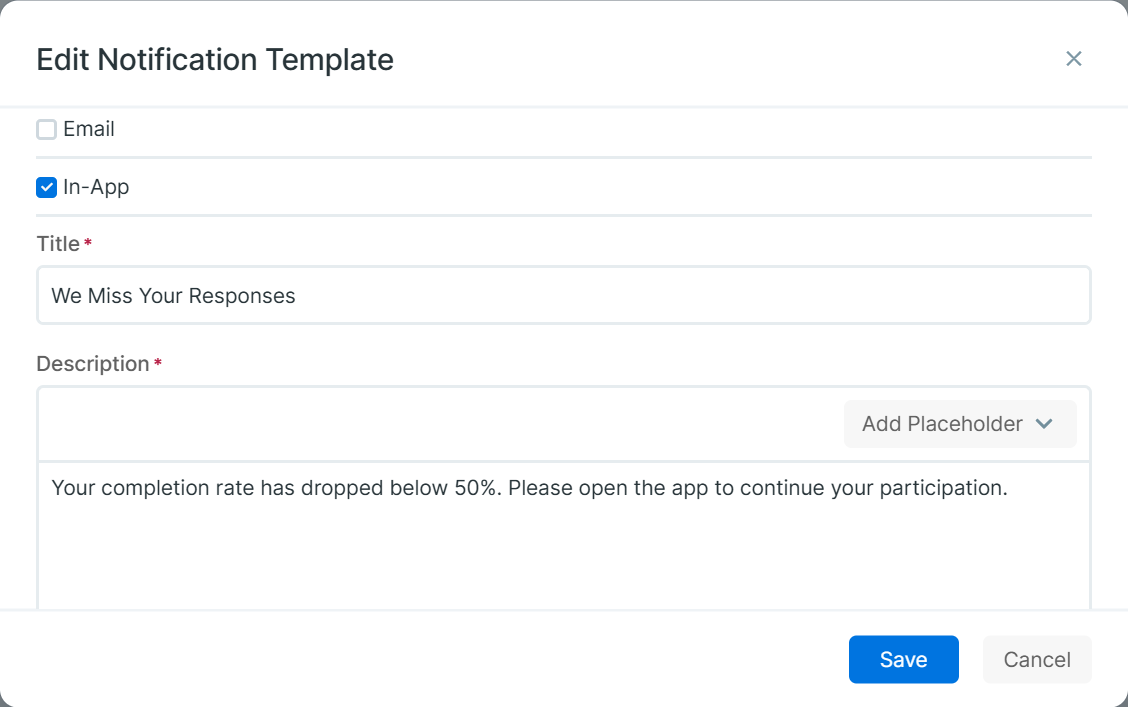
Create a notification template with a short motivational message, for example:
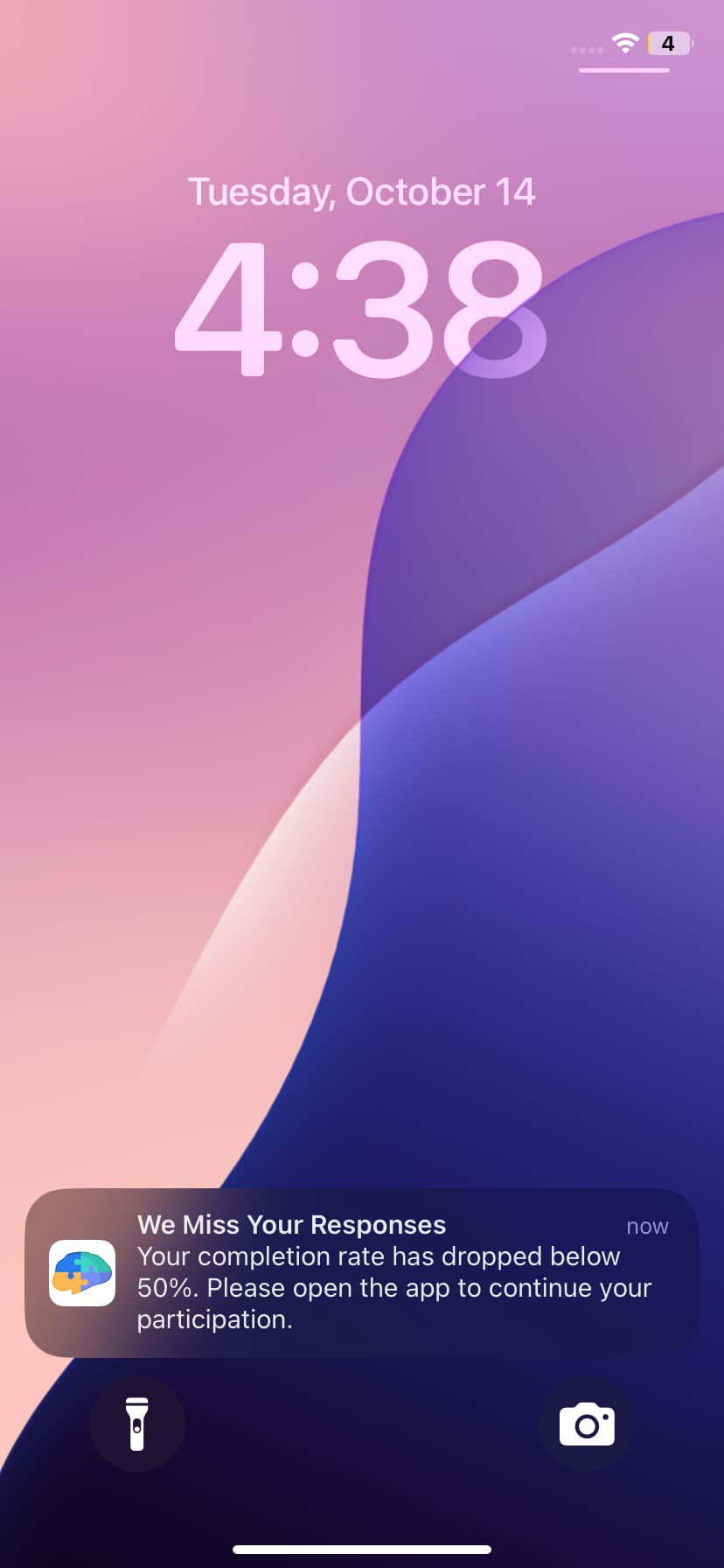
Your completion rate has dropped below 50%. Please open the app to continue your participation.
Link this notification template to the Low Completion Reminder survey and publish it.
-
Schedule the Reminder for Low-Compliance Participants
Now, you can release the reminder session to the participants you identified using a CSV file.
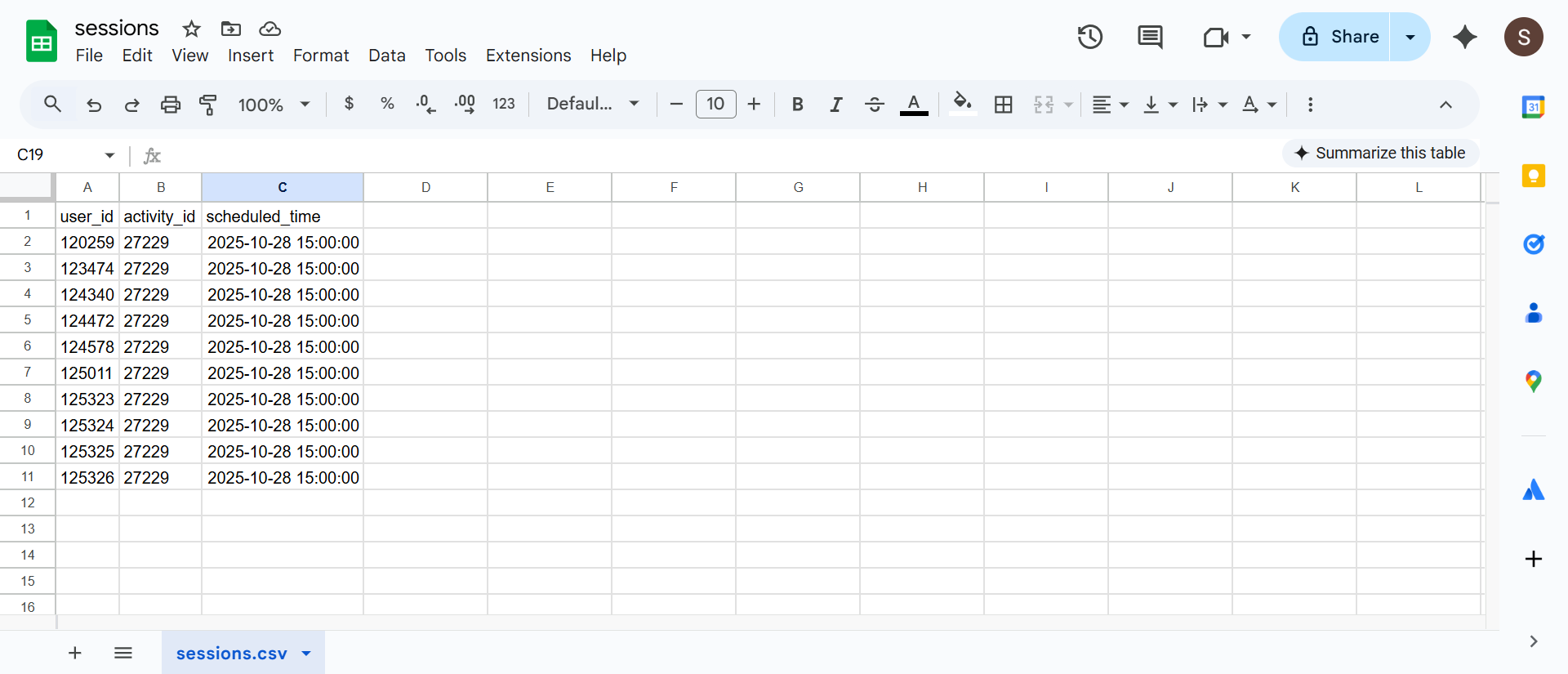
Copy the user IDs of all participants below the threshold. In a new sheet, add these columns:
- User ID
- Activity ID (of the Low Completion Reminder survey)
- Scheduled Time
Then, go to the Activity Sessions page, click Create New Sessions, select Create via CSV File, and upload your CSV file.
The sessions will be created, and you can see them in Activity Sessions.
Participants will then receive the notification and the survey at the time you scheduled.
Pro Tips
- The solution above is best suited for managing notifications for a large number of participants at once.
- If you only have a small number of participants whose completion rate is below the threshold and you have already identified them, you can send a one-off notification directly to those participants without using the full CSV workflow.
- The same approach can be used to detect other behaviors, such as canceled or missed surveys that expired before answering.
- You can adjust the threshold or the message based on your study design.
[!note]
If you want this process to run automatically (for example, checking compliance daily and triggering notifications without manual steps), please contact our sales team. We can provide a custom implementation for such scenarios (setup fees may apply).