Dear @s.schulz
So, the issue is: The notifications are scheduled by the app to show at the right time but will only prompt when the participant opens the app, So, some device problems might cause this issue.
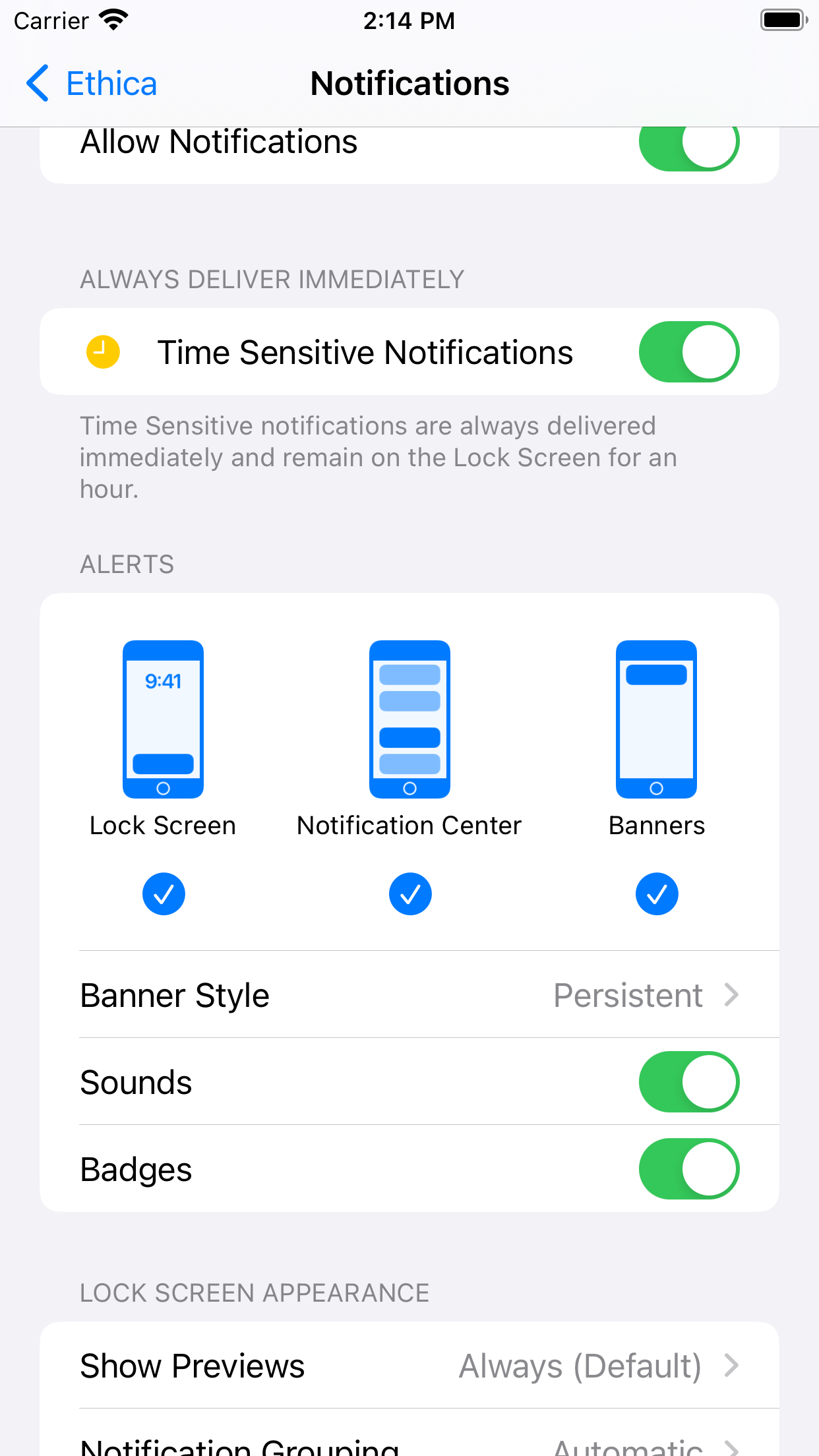
let’s check the notification settings first to ensure that they’re all set up as expected and haven’t changed. I’ve attached an image referring to the Ethica notification settings.
Focus modes, such as Do Not Disturb, Sleep, and Personal, helps to silence calls, notifications, and other alerts while enabled. When notifications don’t show up on your iPhone.
To confirm, open your iPhone’s Control Center by sliding down from the top-right corner on models with Face ID and swiping up from the bottom on models with a Home button.
Let’s use Do Not Disturb as our example: note the color of the crescent moon icon. If it’s violet (bluish-purple), that means Do Not Disturb is enabled; tap the icon to disable Do Not Disturb. That will change the crescent moon’s color to white (check Use Do Not Disturb with Focus on your iPhone or iPad - Apple Support for a deeper look into that process).
A few other items to check while we’re in the Settings app are the date and time and specialty network settings. For the date and time, go to Settings > General > Date & Time and change it to Set Automatically if it isn’t already. For specialty network settings, review Use VPN on iPhone to ensure that if there is one setup or installed, it is turned off during participation.
Please reload the study on the participant’s device after the changes.
Best Regards,
Alireza